
Proposal Page Template with Yes or No Button: Instantly Create Your Perfect Proposal
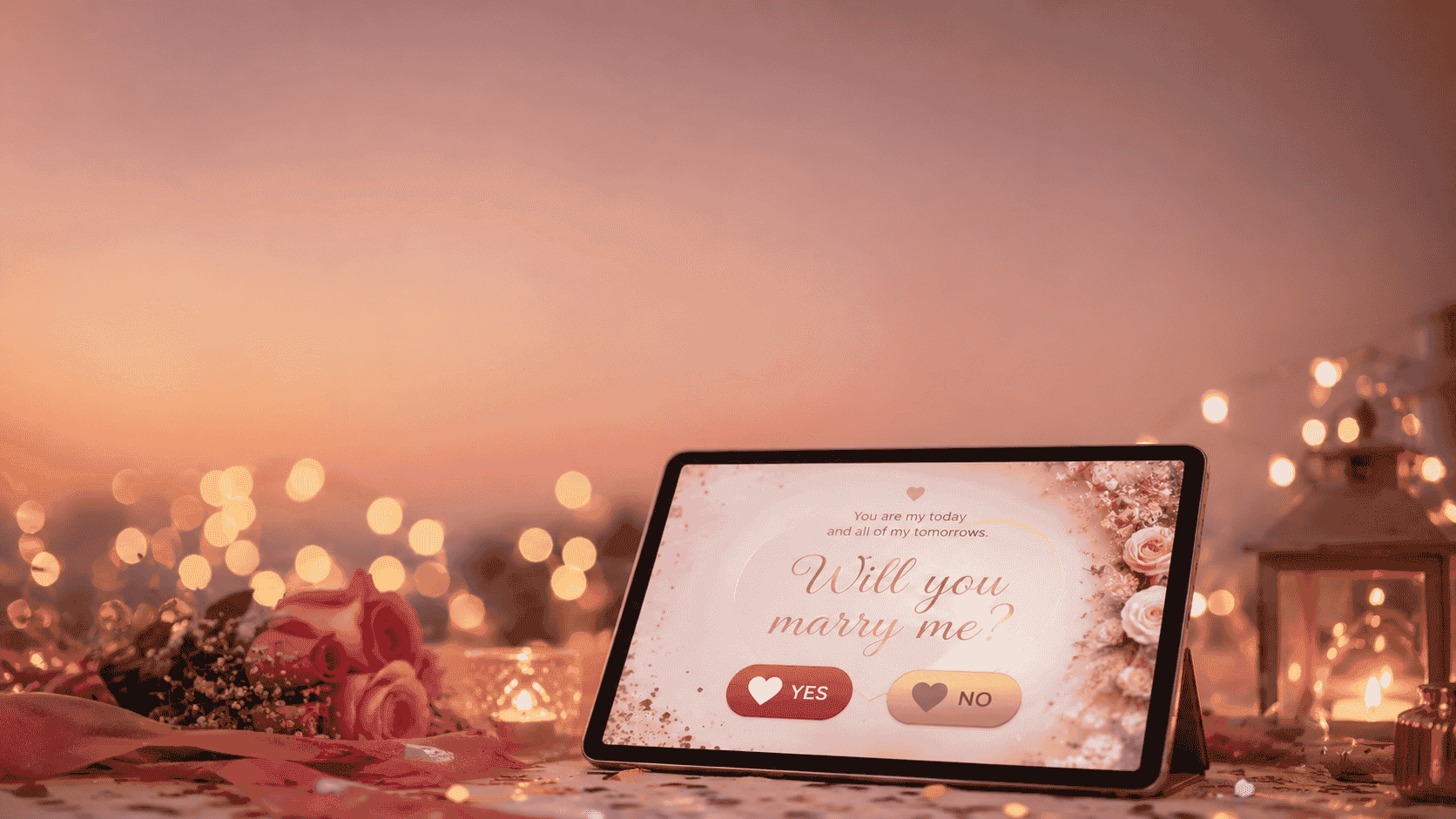
Quickly build a memorable proposal page with a yes or no button. Discover customizable templates, features, and step-by-step setup for the perfect digital proposal. Start creating your unique proposal page in minutes and make your big moment interactive and unforgettable.
Make this into a page you can send
Photos, a message, music and a ready-to-share link — in a couple of minutes.
Create nowor browse all occasionsKey takeaways
- • A proposal page template with yes or no button lets you create an interactive, personalized digital proposal in minutes.
- • These templates offer full customization of text, images, colors, and animations to match your unique love story.
- • Share your proposal page instantly via link or QR code, making it easy for your partner to respond from any device.
- • The yes/no button interaction adds a playful, memorable touch, capturing your partner’s real-time response.
- • No coding skills are required—user-friendly builders guide you through setup step by step.
- • Proposal page templates are perfect for virtual, long-distance, or creative in-person proposals.
On this page
Looking for a creative way to ask the biggest question of your life? A proposal page template with yes or no button lets you design an interactive, personalized digital proposal in minutes—no coding or design skills needed. Instantly share a custom page that captures your story and your partner’s answer, making your proposal unforgettable.
Why Use a Proposal Page Template with Yes or No Button?
Personalized, Memorable Proposals
A proposal page template with yes or no button transforms a simple question into a playful, interactive experience. Instead of a plain text or in-person ask, you set the stage with your own photos, music, and words. The yes/no buttons engage your partner, letting them respond in real time and creating a moment you’ll both remember.
Instant, Shareable, and Perfect for Every Situation
Whether you’re proposing long-distance, planning a surprise, or want to add a creative twist to an in-person proposal, these templates are designed for instant sharing. Send a link or QR code via text, email, or social media and let the magic unfold wherever your partner is.
No Coding or Design Skills Needed
You don’t need to be a developer or designer. Most modern builders are drag-and-drop or form-based, guiding you through every step. You control the look, feel, and message—just focus on your story.
What Features Should the Ideal Proposal Page Template Offer?
Not all templates are created equal. Here’s what to look for:
- Customizable Text & Fonts: Write your message in your voice, choose romantic fonts, and set the tone.
- Image & Photo Uploads: Showcase your favorite memories together.
- Background Music: Add a special song to set the mood.
- Animations & Effects: Confetti, heart bursts, or fun transitions when buttons are clicked.
- Yes/No Button Logic: Customize what happens for each answer—show a congratulatory message, secret video, or playful nudge.
- Mobile-First Design: Works perfectly on phones and tablets.
- Instant Sharing: Generate a link or QR code for easy delivery.
- Response Tracking: Get notified when your partner responds (optional).
Here’s a quick feature comparison:
| Feature | Benefit |
|---|---|
| Customizable Text | Tell your story, your way |
| Image Uploads | Make it visually personal |
| Yes/No Button Logic | Tailor the experience to each answer |
| Background Music | Create a romantic atmosphere |
| Mobile-Ready | Propose anywhere, anytime |
| Instant Sharing | No waiting—share with a tap |
| Response Tracking | Know the answer instantly |
| Animations & Effects | Add wow-factor and celebration |
How to Create a Proposal Page Template with Yes or No Button: Step-by-Step
You don’t need any technical skills—just follow these clear steps to design and launch your proposal page:
-
Choose a Trusted Builder or Template Platform
- Look for online proposal page makers (like SubhSandesh or similar services) with strong reviews and easy customization. Free and premium options are available.
-
Select Your Template Design
- Pick from romantic, playful, or minimalist themes. Most platforms offer a preview so you can see how it will look on mobile and desktop.
-
Personalize Your Story
- Enter your message: Write a heartfelt question, a poem, or a special memory. Use formatting (bold, italics) to highlight key words.
- Upload your favorite couple photos. Some builders let you add a gallery or slideshow.
- Add background music: Choose a song from the platform library or upload your own (MP3 or similar formats).
- Adjust colors and fonts to match your vibe.
-
Set Up the Yes/No Buttons
- Customize the button text (e.g., "Of course!" instead of "Yes").
- Choose what happens when your partner clicks each button:
- For "Yes": Show a confetti animation, reveal a secret video, or display a celebratory message.
- For "No": Offer a playful response, a second chance, or a gentle joke.
-
Preview and Test
- Use the platform’s preview mode to check how everything looks and works. Test on both phone and desktop.
-
Publish and Share Your Proposal Page
- Click publish to generate a unique link or QR code.
- Share it privately or publicly—however you want your partner to receive it.
Example Step-By-Step Flow
- Choose template → 2. Add message & photos → 3. Set yes/no actions → 4. Preview → 5. Share link
Top Platforms and Tools for Proposal Page Templates with Yes or No Button
There are several ways to create your proposal page. Here are some of the most popular methods:
1. Dedicated Online Builders
- SubhSandesh Proposal Page Maker: Drag-and-drop design, instant sharing, response notifications, and creative animations.
- Canva: Use interactive website templates, customize with images, and embed simple buttons (external links for yes/no action).
- Typeform or Google Forms: Create a playful form with images and yes/no logic (less visual, but simple).
2. Downloadable Templates
- HTML/CSS Templates: For those comfortable with light editing, downloadable HTML templates offer full control. Add your images and messages, then host on a free platform.
- PowerPoint or Keynote: For offline proposals, create an interactive slide deck with yes/no buttons linking to different slides.
3. DIY with No-Code Tools
- Notion or Carrd: Build a simple one-page site with embedded buttons. Carrd offers animations and mobile-friendly layouts.
Tips for a Truly Memorable Digital Proposal
- Tell Your Story: Make the message heartfelt and specific to your relationship.
- Add Surprises: Include a hidden message, video, or slideshow that only appears after clicking "Yes".
- Keep It Simple: Too many effects can distract from the main question.
- Test Across Devices: Make sure your page looks beautiful on any screen.
- Time the Delivery: Send your proposal page at a meaningful moment for maximum impact.
Real User Examples: Creative Proposal Page Ideas
Romantic Example
- Theme: Soft pink and gold, with gentle piano music.
- Message: “From our first date to this moment, you’ve made every day magical. Will you marry me?”
- Yes Button: Reveals a video montage and fireworks animation.
- No Button: Displays a cute puppy gif with, “Are you sure? Take another look!”
Playful Example
- Theme: Cartoon hearts, vibrant colors, upbeat pop song.
- Message: “Swipe right on forever? Will you be my player 2?”
- Yes Button: Confetti explosion, game level up graphic.
- No Button: Encouraging message: “Oops! Try again?”
Feature Checklist for Your Proposal Page
| Must-Have Feature | Why It Matters |
|---|---|
| Custom Message | Makes the proposal unique |
| Media (Photos/Music) | Sets the mood, adds sentiment |
| Button Customization | Engages your partner playfully |
| Mobile Responsiveness | Ensures smooth experience everywhere |
| Easy Sharing | Lets you deliver your proposal instantly |
| Response Notification | Captures the big moment |
Frequently Asked Questions About Proposal Page Templates
-
What if my partner says 'No'?
- You can set up a gentle or funny response, like a playful animation or a second-chance message. Most templates let you fully customize this.
-
Can I edit my proposal page after publishing?
- Yes, most platforms allow you to make changes and update the page, even after sharing the link.
-
Will my proposal page be private?
- Reputable builders provide private sharing links and options for password-protection.
-
Can I add a countdown or milestone timer?
- Many advanced templates include countdowns to anniversaries or milestones for extra excitement.
Why Choose a Digital Proposal Page Over Traditional Methods?
- Long-Distance Love: Propose no matter the distance—perfect for couples separated by travel or work.
- Keepsake Factor: Save the proposal page as a digital memory or print screenshots for your wedding album.
- Surprise Factor: Catch your partner off-guard with a creative, unexpected delivery.
- Inclusive: Great for introverts or anyone who prefers a private moment over public proposals.
Ready to Make Your Proposal Unforgettable?
Creating a proposal page template with yes or no button is simple, fun, and tailored to your love story. Choose your favorite builder, personalize every detail, and deliver the question in a way your partner will never forget. Start designing your interactive proposal page today—your love story deserves a magical beginning.
Frequently Asked Questions
Turn this inspiration into an unforgettable surprise
Build a page with photos, a heartfelt message, music and a ready-to-share link.
- Photos, message & music
- Ready-to-share link

Written by
Suyash Agrahari
Founder
Suyash Agrahari is a Software Engineer at HireQuotient and the founder of SubhSandesh and DrawFlow (drawflow.in). He builds AI agents and full-stack products with Next.js, Node.js, and the OpenAI and LangChain ecosystems, having shipped autonomous multi-agent systems, AI copilots, and large-scale outreach platforms — and scaled side projects from a few hundred to millions of users. He writes about AI engineering, web development, and building products that grow through SEO and organic reach.
Stay Connected
Follow SubhSandesh
New templates, festival ideas and step-by-step walkthrough videos — first on our socials.
Keep reading
Which Day Comes After Propose Day, and What Happens Now
Chocolate Day comes after Propose Day — Tuesday 9 February 2027. That is one sentence, so this page covers the four situations you are actually in on …
 Suyash Agrahari· 9 min
When to Propose a Girl to Be Your Girlfriend, and When Not To
The timing question, answered with conditions instead of a date: what has to be true before you ask, what politeness and fast replies do not prove, wh…
Suyash Agrahari· 9 minRomantic Proposal Room Decoration: What the Room Must Do
Romantic proposal room decoration, sorted by the work each setup takes and what the room allows: 7 setups with set-up and reversal times, lighting evi…
Suyash Agrahari· 9 min