
Girlfriend Day Images with Quotes: Make a Memorable Image or Page
Find the perfect Girlfriend Day images with quotes, choose sizes for WhatsApp and Instagram, write heartfelt captions, and create a shareable, private surprise page in minutes with SubhSandesh.
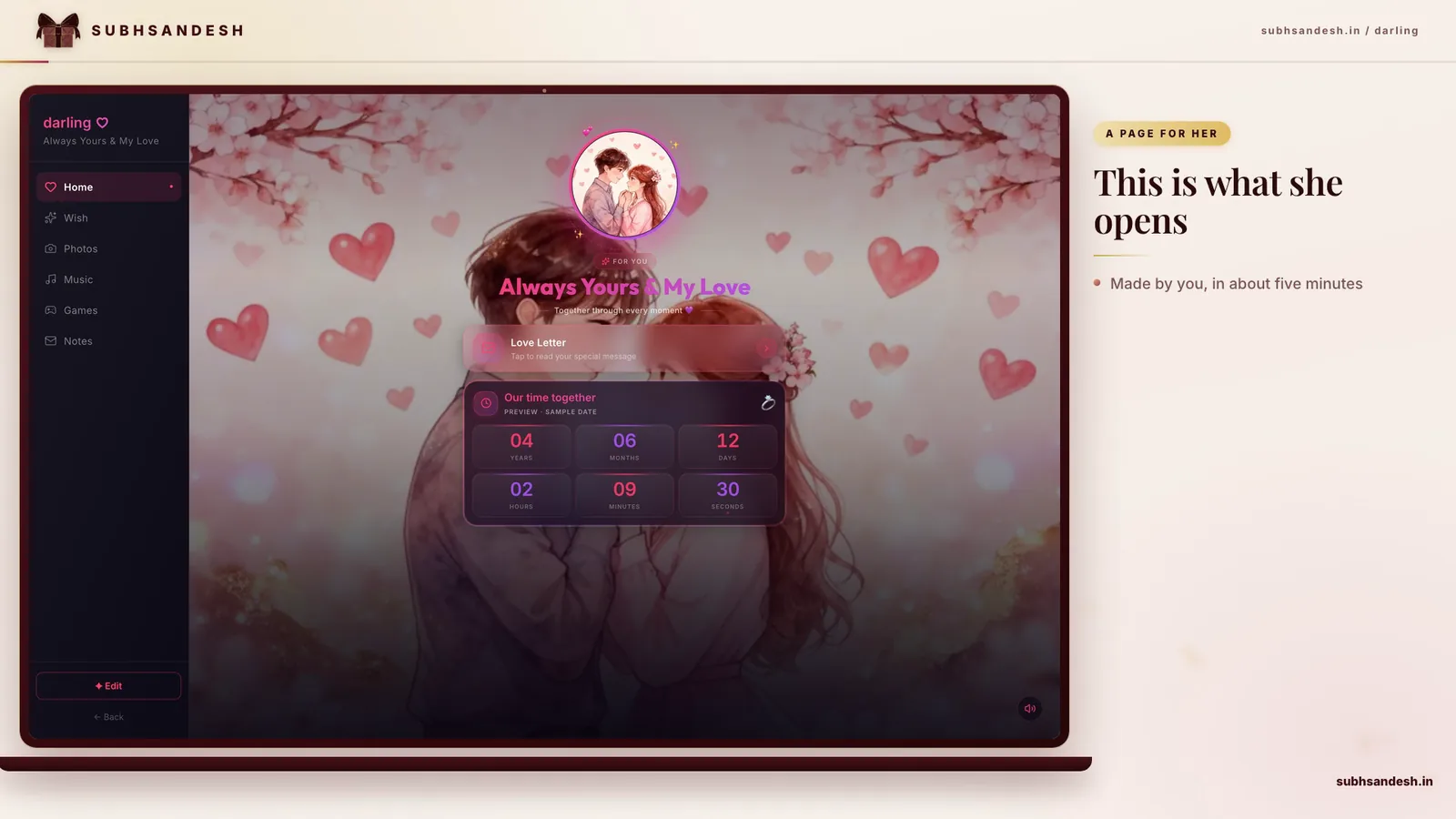
Make this into a page you can send
Photos, a message, music and a ready-to-share link — in a couple of minutes.
or browse all occasionsKey takeaways
- • A great Girlfriend Day image with a quote pairs a clear, high-contrast photo with a short, personal line that suits your relationship and the platform (WhatsApp, Story, DM).
- • Pick quote tone before images: romantic, playful, thankful, or nostalgic — that guides font, color, and layout choices for best results.
- • For instant sharing and a private surprise, build a Girlfriend Day page on SubhSandesh where you can combine multiple images, quotes, music and a countdown into one beautiful link.
- • Use the right sizes: square 1080×1080px for Instagram posts, 1080×1920px for stories/WhatsApp status, and 1200×628px for link previews to look crisp across apps.
On this page
Answer-first: The easiest way to make memorable Girlfriend Day images with quotes is to pair one clear, high-contrast photo with a short, personal line and share it where she’ll notice—WhatsApp status, Instagram story or a private surprise page. Use the right size, keep the quote short, and choose a tone that fits your relationship.
Which quote tone should you pick for Girlfriend Day?
Choosing the tone first makes the rest of the design obvious. Ask yourself: Are you celebrating romance, playfulness, gratitude or a shared memory? Each tone suggests different design choices.
Romantic
Keep fonts delicate or modern and choose warm colors. A short quote—"You make my ordinary feel like home"—paired with a soft-focus photo of the two of you will read naturally.
Playful
Use bright accents, a bolder sans-serif and a candid photo. Lines like "You stole my hoodie and my heart" add cheer without being heavy.
Thankful
A simple portrait with a gentle serif and a line like "Thank you for being my calm" works well when your aim is appreciation.
Nostalgic
Choose a place-based photo and a memory-driven quote: mention the cafe or bench that matters. The image and copy together tell a short story.
Step-by-step: Create a Girlfriend Day image with quote that looks professional
- Choose a strong photo: pick a well-lit, uncluttered image where the subject is the focal point. If you don’t have a couple photo, use a meaningful place or an evocative detail (hands, a shared coffee cup).
- Pick the quote tone first (romantic, playful, thankful, nostalgic).
- Crop to the right size: square 1080×1080px for Instagram posts; vertical 1080×1920px for WhatsApp status and stories; 1200×628px for link previews.
- Choose fonts: one main sans-serif for legibility and an optional script for emphasis. Limit to two fonts total.
- Ensure contrast: add a semi-transparent overlay or shadow behind the text if the photo is busy.
- Preview across devices: test on two phones and adjust font size or margins for readability.
- Save and share: export as high-quality PNG (or JPEG when file size matters) and upload to the intended platform, or assemble multiple images into a SubhSandesh page for a richer surprise.
These exact steps are built into SubhSandesh templates, so if you prefer to skip manual editing you can pick a template and personalize it with your photos, quotes, and music in minutes.
Layout tips: where to put the quote on the image
- Top third works for portrait photos; bottom third works if you want faces centered.
- Use negative space (open sky, wall) for text placement.
- If the background is busy, create a subtle overlay bar behind the quote or switch to a separate quote slide.
Font and color guide for mobile screens
- Body quote font size: 28–48 px (adjust by export size), bigger for story formats.
- Accent word size: 12–20% larger than the body quote.
- High contrast: white text on dark overlays, dark text on light areas.
- Avoid thin fonts for multi-line mobile text.
Quick list of short quote examples you can use
- Romantic: "You are my favorite today and every day."
- Playful: "You stole my hoodie and my heart."
- Thankful: "Grateful for every small morning with you."
- Nostalgic: "That bench by the lake—our favorite chapter."
Use one-liners like these so they remain legible on all screens.
Comparison table: Image type vs best quote & ideal use
| Image Type | Best Quote Style | Ideal Platform |
|---|---|---|
| Full-photo of you together | Short romantic or thankful line | Instagram post, private page |
| Close-up detail (hands, coffee) | Playful or intimate single-line | WhatsApp status, story |
| Stylized background with texture | Scripted short quote | Story, printed card |
| Collage of memories | Series of short quotes | Carousel post, SubhSandesh page |
How to assemble multiple images and quotes into one shareable surprise (fast)
- Pick 4–8 photos that map the feeling you want to convey. 2. Write one short quote or memory per slide. 3. Choose a single color accent and one font pair for cohesion. 4. Add a short music clip that matches the mood. 5. Publish as a private link and send the link when you want the surprise to be opened.
If you want a single place to host everything, SubhSandesh’s templates already combine slides, music, counts and private links so you don’t need a dozen apps.
WhatsApp and Instagram: precise sizing and safe areas
- WhatsApp/Instagram Story: 1080×1920 px (keep vital text within the center 1080×1420 safe area).
- Instagram post: 1080×1080 px (square).
- Portrait post: 1080×1350 px.
Always leave at least 5–10% margin around the edges in case the app crops or adds overlays.
Photo lighting and composition hacks for better quotes
- Use golden hour or soft window light.
- Place the subject slightly off-center and reserve the negative space for text.
- Shoot extra close-ups of hands, smiles, small details—these make powerful quote slides.
When to use quotes vs full messages
Use a short quote on the image itself and save the longer, more personal paragraph for a caption, a DM, or the closing slide of a SubhSandesh page. This keeps the visual clean and the emotional content accessible.
Examples of multi-image flows you can create on SubhSandesh
- Memory Lane: opener photo (the place you met), three quote slides tied to moments, closing personal message.
- Today & Tomorrow: photo of a recent moment, a quote of appreciation, a short promise, a countdown to your next meet.
SubhSandesh templates are designed for these flows so you can drag, drop and publish without design stress.
Troubleshooting common issues
- Text too small: increase font size and line height; reduce text length.
- Image too busy: apply a 30–40% dark overlay or use a crop with more negative space.
- Colors clash: desaturate the photo slightly and choose one bold accent color for text.
Accessibility and inclusivity
Use high-contrast color combinations and write alt-text for images. If you include audio, add a short transcript for recipients who prefer reading.
Practical ideas for different relationship stages
- New romance: light, hopeful quotes—"So glad we crossed paths."
- Comfortable relationship: playful lines and candid photos.
- Long-term: nostalgic quotes, date references, shared inside jokes.
Where SubhSandesh helps (natural mention)
If you want a fuss-free way to gather images, quotes, music and a private link, SubhSandesh gives you mobile-ready templates, easy slide sequencing, and a private shareable page. Many users create a full Girlfriend Day surprise here in under 15 minutes.
Final tips before you share
Preview on two phones, keep the message sincere, and remember that one small specific detail beats a generic compliment. If you’d rather make a curated, private experience than sending a single image, browse all templates and pick a romantic layout to personalize.
Ready to make her smile? Create your Girlfriend Day page in minutes — pick a template, add your favorite photos and quotes, choose a song, and share the private link. Try a romantic layout like love-gf or a special anniversary style at anniversary-gf to match your tone.
Frequently Asked Questions
Turn this inspiration into an unforgettable surprise
Build a page with photos, a heartfelt message, music and a ready-to-share link.
- Photos, message & music
- Ready-to-share link

Written by
Suyash Agrahari
Founder
Suyash Agrahari is a Software Engineer at HireQuotient and the founder of SubhSandesh and DrawFlow (drawflow.in). He builds AI agents and full-stack products with Next.js, Node.js, and the OpenAI and LangChain ecosystems, having shipped autonomous multi-agent systems, AI copilots, and large-scale outreach platforms — and scaled side projects from a few hundred to millions of users. He writes about AI engineering, web development, and building products that grow through SEO and organic reach.
Stay Connected
Follow SubhSandesh
New templates, festival ideas and step-by-step walkthrough videos — first on our socials.
Product guide
See it built, step by step

Keep reading
How to Surprise Someone on Their Birthday at Midnight
The Indian midnight birthday wish, treated as a timing problem: aim for 23:55 rather than 00:00, check the Bedtime schedule that silences a 00:00 noti…
 Suyash Agrahari· 9 min
How to Surprise Husband on Birthday When the Day Is His Alone
A birthday is his day, not a shared one, so unlike an anniversary the contents can genuinely surprise him — and the gesture fails when it becomes abou…
Suyash Agrahari· 9 minHow to Surprise Best Friend on Friendship Day in India
Friendship Day in India falls on the first Sunday of August — a different date from the UN's International Day of Friendship on 30 July. Four things w…
Suyash Agrahari· 9 min