Digital Gifts & Romance

    Girlfriend Day Wishes Images Download — Free, Ready to Share

    Find and download beautiful Girlfriend Day wishes images you can send instantly or use inside a private surprise page. Step-by-step download, resize and personalize tips plus ready-made templates to turn an image into a heartfelt SubhSandesh page.

    Suyash Agrahari· 5 min read

    Key takeaways

    • You can download high-quality Girlfriend Day wishes images sized for WhatsApp, Instagram and status in three quick steps: choose, save, and resize.
    • Pick images that match your relationship tone—romantic, playful or nostalgic—and pair them with a short, personal caption for maximum impact.
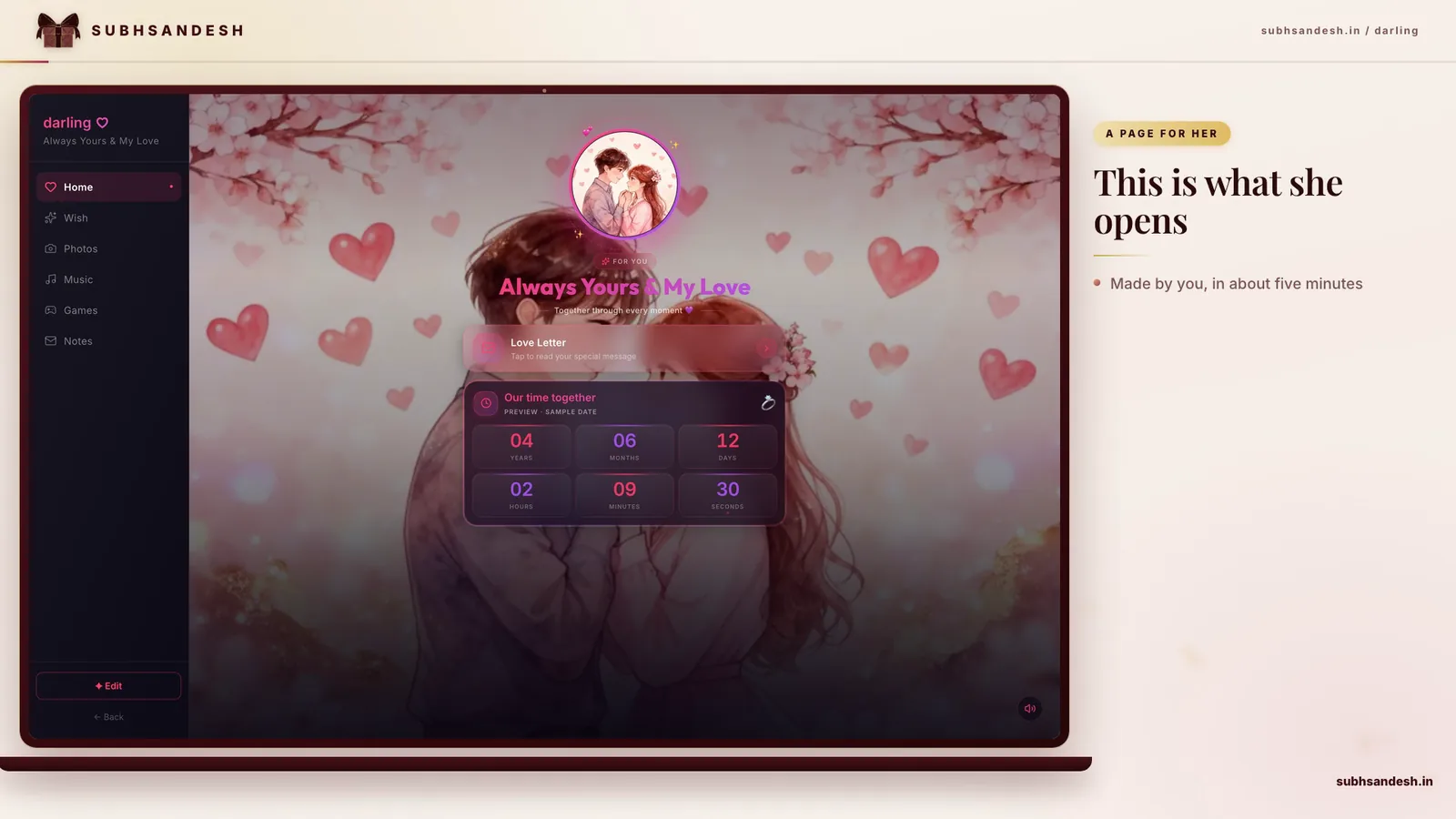
    • Convert a downloaded image into a private surprise using a SubhSandesh page by adding photos, a message, music and a countdown in minutes.
    • Always check image file type and resolution: 1080×1080 px (square) for feeds, 1080×1920 px (vertical) for stories/status, and PNG for text-over-photo clarity.

    Download ready-to-share Girlfriend Day wishes images in minutes and use them as WhatsApp status, Instagram posts, or inside a private surprise page. This guide shows exactly where to find good images, how to download and resize them for every platform, and how to turn a single photo into a heartfelt SubhSandesh surprise.

    Where to find free, high-quality Girlfriend Day wishes images

    Start with curated greeting collections, free stock sites, and artist posts that permit personal use. Look for images labeled for personal or non-commercial use and prefer vertical (9:16) for status/stories and square (1:1) for feeds.

    • Search phrases that work: "Girlfriend Day romantic image", "girlfriend day wishes card", "romantic couple photo vertical".
    • Filter by orientation: vertical for stories/status, square for feed, landscape for wider platforms.
    • Always check usage rights and avoid heavy watermarks for a clean share.

    If you’d rather skip searching, you can use one of SubhSandesh’s ready-made romance templates and add your downloaded image or upload your own photo: try the romantic 'I love you' page or a themed Valentine's template. For more options, browse all templates.

    Quick tip: choose images that tell a memory

    Pick photos tied to a place or moment you share—cafe selfies, a sunset photo, or an inside joke graphic. Authentic images beat the most polished stock when the goal is emotional connection.

    How to download Girlfriend Day wishes images (three fast methods)

    1. Browser (phone or desktop)

      • Open the image in full view.
      • On mobile: long-press > "Save image" or "Download image".
      • On desktop: right-click > "Save image as..." and choose a folder.
    2. Use the site’s download button (when available)

      • Sites with galleries often include a download or 'share' button; use these to get the correct resolution.
    3. Screenshot (last resort)

      • Use only when no download is offered; crop immediately to remove UI.

    Save-as best practices

    • Keep a high-resolution master (at least 1080 px on the short side).
    • Create platform-size copies: 1080×1920 px for stories/status, 1080×1080 px for posts.
    • Name files clearly (e.g., girlfriendday_cover_v1.jpg) so you can find them later.

    How to resize and format images for each platform

    PlatformBest formatRecommended sizeNotes
    WhatsApp Status / Instagram StoryJPG or PNG1080×1920 px (9:16)Vertical; keep important text away from edges
    Instagram FeedJPG or PNG1080×1080 px (1:1)Square works best on feed; 4:5 improves vertical presence
    Facebook PostJPG1200×630 px (landscape)Use higher resolution for shared links
    Print/CardTIFF or high-quality JPG300 DPI; 2000+ px long sideSave at highest quality for print

    Quick instructions for mobile resizing

    • Use your phone's photo app or a free editor (Snapseed, Lightroom mobile) to set the exact pixel dimensions.
    • Save a copy rather than overwriting your original.

    Best image types and when to use them

    • JPEG: Best for photos where file size matters.
    • PNG: Use when text overlays or transparent elements are present.
    • GIF/MP4: Choose for short animated greetings.

    Step-by-step: Turn a downloaded image into a private Girlfriend Day surprise (8 minutes)

    1. Pick the image you downloaded and a short caption.
    2. Open SubhSandesh and choose a romantic template like love-gf or valentine-gf.
    3. Upload the image to the template's hero area or gallery.
    4. Add your personal message in the text field and choose a song that matters.
    5. Add a countdown if you want a timed reveal.
    6. Preview on mobile to check cropping and audio.
    7. Publish and copy the private link.
    8. Share the link privately via WhatsApp, SMS or email.

    This method turns a single image into an emotional, interactive experience—without design skills. SubhSandesh handles mobile optimization so the image and message display beautifully on any phone.

    12 creative caption and message examples you can download-ready

    • "Happy Girlfriend Day — you make small things feel like home."
    • "Every day with you is my favorite day."
    • "To the one who knows my coffee order and my quiet moods."
    • "Thank you for choosing me—today and every day."
    • "Still crushin’ on you. Happy Girlfriend Day!"

    Use one-liners on images and longer notes on the SubhSandesh page beneath the photo to keep the visual clean.

    Personalization ideas that work every time

    • Include a tiny photo from an inside joke.
    • Add a voice note or short video clip on the page.
    • Use a song that played during a meaningful moment.

    Troubleshooting common download problems

    • Blurry image: download a higher resolution version, or pick a different image.
    • Heavy watermark: choose another image or upload a personal photo.
    • Wrong aspect ratio: crop to the required dimensions or let SubhSandesh preview adjust for mobile.

    Privacy and etiquette when sharing images

    • If the message is intimate, use private DMs or a private SubhSandesh link.
    • Ask before posting candid couple photos publicly.
    • Credit photographers when using someone else’s image.

    Quick comparison: image vs SubhSandesh page

    Share methodEmotional impactControlPrivacy
    Direct imageImmediate but single-frameLow (messaging compression)Medium (depends on platform)
    SubhSandesh private pageHigh (music, multiple images, message)High (edit before/after publish)High (link-based private access)

    Final reminders before you send

    • Preview on your phone to confirm text readability.
    • Keep captions short and true to your relationship.
    • Consider hosting the image on a SubhSandesh page for a polished, private reveal—then share one tidy link instead of many files.

    Ready to make her day? Create your free SubhSandesh page in minutes: pick a template, upload your downloaded Girlfriend Day image, add a message and music, publish and share the private link. Explore all templates to get started.

    #girlfriend-day#images#wishes#download#romantic

    Frequently Asked Questions

    Search curated collections on greeting sites or dedicated pages for Girlfriend Day images and choose images sized 1080×1920 px for WhatsApp Status. If you want ready-made options you can turn into a private surprise, SubhSandesh offers templates and images you can add to a page and share as a link.
    Use vertical 1080×1920 pixels (9:16) for WhatsApp Status to avoid cropping and keep text readable. Save as JPEG or PNG at 72–150 DPI for fast uploads. SubhSandesh’s templates preview images in the correct mobile aspect ratio so your image will look great when you add it to a surprise page.
    Yes—choose square 1080×1080 px JPG or PNG for Instagram feed posts. Make sure any text sits inside a safe margin (about 100 px from edges). After downloading, you can also use the image inside a SubhSandesh romantic page template to add music or a private message before sharing.
    Many greeting and creative commons resources offer free Girlfriend Day images, but always check usage rights. For a worry-free route, use SubhSandesh templates and assets specifically meant for personal greetings; they’re designed for private sharing on WhatsApp, social, or as a personalized link.
    Open the image in your phone browser, long-press the image, and choose 'Save image' or 'Download'. Check the Photos/Gallery app to confirm. If you want to present that image inside a private surprise page, upload it to a SubhSandesh template and publish a single shareable link in minutes.
    Use JPEG for photographs and PNG when your image has text, logos, or transparent areas—PNG keeps text crisp. For short animated greetings, MP4 or GIF works better. SubhSandesh accepts common formats so you can upload your downloaded JPEG/PNG directly into a romantic page template.
    Yes—many sites host GIFs tailored for Girlfriend Day. Download GIFs by long-pressing or using the site’s download button. If you prefer an elegant presentation, upload a GIF or short MP4 into a SubhSandesh page and pair it with a personal message and music for richer impact.
    After downloading, add your girlfriend’s name, a short line that only she would recognize, and a photo that matters to both of you. Use simple editors to overlay text. For a private, polished presentation combine your image with a SubhSandesh template to add voice notes, music, and a heartfelt message.
    Short and specific captions work best: 'My favorite hello and hardest goodbye', 'Growing with you, every day', or playful lines like 'Officially your biggest fan'. Pair the caption with a single-sentence memory. If you’re unsure, SubhSandesh templates include sample lines you can adapt when creating a private page.
    Open a mobile editor or the phone’s crop tool and set aspect ratio to 9:16 (1080×1920 px). Center your key subject and keep text in the top or middle safe zones. If you plan to include the image on a SubhSandesh page, the platform auto-adjusts image previews for mobile viewers, saving you time.
    Yes—crop to a square and keep the subject in the center. Avoid long text; profile thumbnails crop tightly. For a coordinated surprise, use the same image on a SubhSandesh page and set a matching status or profile image so the whole presentation feels intentional.
    Choose the highest resolution available—ideally 2048 px on the longest side—and save as JPEG with low compression. When you want a large-screen reveal, upload the high-res version to a SubhSandesh page; the platform will present sharp images on phones and tablets without visible compression artifacts.
    Yes—many images on social platforms are copyrighted by creators. For personal, non-commercial use you may use them privately, but public reposting needs permission. To avoid legal issues, use SubhSandesh’s templates and assets or upload your own photos, which ensures your Girlfriend Day surprise is both beautiful and compliant.
    Soft pastels and warm tones (rose, blush, warm beige) read as romantic; bold reds and black work for dramatic statements. Choose a style that matches your relationship voice—playful, elegant or moody. SubhSandesh offers templates across styles so you can match the image’s mood to a page design instantly.
    Search with exact phrases like 'girlfriend happy', 'romantic couple illustration', or 'romantic floral card' and filter by orientation (vertical for status). Always check the license. If you want a private, bespoke feel, upload a chosen stock image into a SubhSandesh template and add a personal caption and music.
    A single strong image with a short personal caption is often more powerful and immediate. Collages can work when you want to show several memories. If you have multiple photos, build a small gallery inside a SubhSandesh page for a sequential, private reveal that keeps attention longer than a single image or collage.
    Choose images with calm backgrounds or add a subtle overlay behind text for contrast. Use bold, sans-serif fonts and keep text large. If you’re adding the image to a SubhSandesh page, use the page’s text fields instead of embedding text in the photo—this keeps messages crisp on every device.
    Yes—use high-resolution images (300 DPI and at least 2000 px on the long side) for printing. Save as a TIFF or high-quality JPEG. After printing, consider also making a private SubhSandesh page that mirrors the card message so she gets both a tactile and digital surprise.
    Upload your downloaded image to a SubhSandesh template, add a personal message, pick a song, and publish a private link. The step-by-step process takes under 10 minutes and creates a richer experience than a standalone image—your page can include multiple images, captions, countdowns and mini-games for extra charm.
    Aim for at least 1080 px on the short side, and 1920 px on the long side for vertical images. Higher resolutions (2048–3000 px) are better if you expect full-screen viewing on tablets or desktops. Upload the high-res file to SubhSandesh so the platform serves the best version to each device.
    Yes—download the image then combine it with a short audio clip in a video editor to create an MP4, or upload the image to a SubhSandesh page and add background music there. SubhSandesh lets you pair images with songs so the recipient hears audio as they view your message.
    Add a one-line memory, a private nickname, or a small inside joke. Use handwriting-style fonts or a candid photo that only the two of you share. For extra privacy, host the image inside a SubhSandesh page and send the private link instead of posting publicly.
    Send via private message on WhatsApp, Telegram, or SMS, or place the image on a private SubhSandesh page and share the single link. A private SubhSandesh link gives you control over presentation—music, layout and the ability to include multiple images—without exposing the post to others.
    Use a lightweight image tool to reduce file size but keep quality—export JPEG at 80–85% quality or use WebP for smaller files with good fidelity. If you upload to SubhSandesh, the platform optimizes images automatically to balance sharpness and fast loading on mobile.
    Absolutely—collect the images you want and upload them into a SubhSandesh template to create a sequential gallery, slideshow, or story-like page. This way you can present several photos with captions and music in a single private link rather than sending multiple separate messages.
    Use 1:1 (square) or 4:5 for Instagram feed (1080×1080 px or 1080×1350 px) and 9:16 (1080×1920 px) for Stories. Keep essential text within safe zones. SubhSandesh previews on mobile, ensuring images appear correctly when turned into a private Girlfriend Day page.
    Softly increase saturation and save in sRGB color space; avoid colors that rely on extreme contrast. Test on one other device if possible. If you use SubhSandesh, its templates show how images appear on typical mobile displays, so you can tweak before you publish the link.
    Choose bold sans-serifs for clarity and elegant scripts sparingly for names or short phrases. Keep fonts large, with generous line spacing. If you’d rather avoid overlays, use the SubhSandesh message fields to add your wishes beneath the image so typography is always legible.
    Use a mobile slideshow app or combine images into an MP4 with a simple editor, keeping each slide 2–4 seconds. Add a soft background track. Alternatively, upload the images in order to a SubhSandesh page to create an elegant, interactive slideshow with captions and music, ready to share via a private link.
    Yes—choose high-res images (300 DPI) and a print-safe color profile like CMYK if required by your printer. Assemble them in a layout app or order through a photobook service. Consider pairing the physical book with a SubhSandesh page that includes the same images and a personal audio message for a multi-format surprise.
    If you’re sharing publicly and want attribution, a small, tasteful watermark is acceptable. Avoid obstructing the main image. For private shares to your girlfriend, it’s better to keep images clean. For private digital surprises, upload the clean image to a SubhSandesh page and share the unobstructed link.
    Choose a vertical, emotional photo or graphic, add a brief caption and a song that matters to both of you. Use 1080×1920 px and preview before posting. For more impact, make the image the cover of a private SubhSandesh page so anyone who opens the link gets music and a personal message along with the visual.
    Candid photos, small-moment snapshots, or a simple portrait with natural light feel authentic. Avoid overly staged stock images unless paired with a personal line. Uploading your own photos into a SubhSandesh page helps authenticity—combine them with a few short memories to make the message unmistakably yours.
    Use the rule-of-thirds or center the subject and avoid cropping within 10% of the image edges. Preview at final size (phone resolution) to ensure important elements remain visible. SubhSandesh previews your uploaded image in the exact mobile layout so you can adjust cropping before publishing.
    Yes—collect images into a folder and name them with short captions or dates for scheduling. Keep high-res originals and export platform-optimized copies for each channel. If you plan a small campaign, upload the best images to a SubhSandesh sequence page to link multiple posts together in one private surprise.
    An image plus a short voice note adds emotion and feels intimate. Voice notes make memories vivid—keep them under 30 seconds. SubhSandesh allows you to attach audio or background music to a page so the recipient hears your voice as they view images and read your message for a memorable effect.
    Upload the image to a SubhSandesh template, add a one-line message, pick a song, and publish the private link. The whole process usually takes under 10 minutes and creates a single, elegant URL you can share on WhatsApp, Instagram DMs or SMS instead of sending the image file directly.
    Send via private message or host the image inside a private SubhSandesh page and share the unique link. Avoid posting to public feeds and restrict forwarding by choosing direct channels. SubhSandesh pages are only visible to those with the link, keeping your surprise intimate and controlled.
    Yes—use mobile apps that support stylus or finger-writing and save as PNG to preserve clarity. Handwritten notes feel personal but ensure legibility. As an alternative, upload the image to a SubhSandesh page and add a scanned handwriting image or typed replication for a neater presentation with the same emotional effect.
    Export the image as a compressed JPEG (80–85% quality) or WebP and limit dimensions to 1080 px wide for feed images. SubhSandesh optimizes uploaded images automatically, so uploading a reasonably sized file ensures the recipient gets a fast-loading, crisp experience when opening your private page.
    Themes like minimal elegance (soft colors, simple typography), nostalgic collage (old photos and polaroid frames), or playful cartoons work well. Pick one that suits your girlfriend’s taste. SubhSandesh has templates across these themes so you can import your downloaded image into a matching page style quickly.
    Send as 'Document' instead of 'Image' to avoid extra compression, or upload to a SubhSandesh page and share the link so the recipient sees the original-quality image inside the page without messenger compression.
    Try 'With you, every day is worth celebrating', 'To my favorite person—always', or 'You make my ordinary extraordinary.' Keep lines under 12 words for better readability on images and statuses. SubhSandesh templates include suggested lines you can adapt when creating a private page for a quick, heartfelt message.
    Once you send the raw image file, edits won’t update it on the recipient’s device. If you host the image on a SubhSandesh page, you can edit the page content and the link will reflect changes instantly—great for last-minute fixes or adding a new photo after you share the surprise.
    Use mobile apps with preset filters, subtle contrast boosts, and sharpening. Keep edits natural—soft skin tones and warm highlights. For a premium digital reveal, upload to a SubhSandesh template with clean typography and tasteful spacing so the presentation looks professionally designed without heavy editing.
    Avoid images with confusing clutter, low resolution, or heavy watermarks. Steer clear of overly generic stock clichés unless paired with a very personal caption. For worry-free personalization, upload your own photo or a carefully chosen stock image to a SubhSandesh template to create a neat, private presentation.
    Export platform-specific sizes (square for feed, vertical for stories) from a high-res master file. Keep the same color grade and caption tone. If you want a single, consistent destination, place the image on a SubhSandesh page and share that link across platforms so viewers get an identical, mobile-optimized experience.
    High-res images can quickly fill storage; periodically move originals to cloud or a computer. Export platform-sized copies for sharing. Using a SubhSandesh page reduces the need to keep many large files on your phone—upload the images there and keep a single link rather than dozens of separate files.
    Keep the message brief, use a small accent overlay or place text below the image in the caption area. For a cleaner look, host the image on a SubhSandesh page and write the message as page text, which preserves image clarity and lets you write a longer note without damaging the visual composition.
    Yes—gentle filters that preserve natural skin tones and mood are fine. Avoid heavy effects that hide facial features or memories. If your goal is emotional authenticity, subtlety helps. For an elevated reveal, place the lightly filtered image inside a SubhSandesh template that complements the filter and mood.
    Avoid logging into accounts or sending private messages on public Wi‑Fi. If you must download, use a trusted site and consider a VPN. After downloading, upload private surprises to a secured platform like SubhSandesh using your personal connection to ensure privacy and control over who sees the image.
    Yes—use social media scheduling tools to queue image posts ahead of time. If you prefer a private reveal at a specific hour, publish your SubhSandesh page when ready and schedule the link share in your messaging app. SubhSandesh pages can be prepared in advance and published exactly when you want to surprise her.
    Overlay a scanned note or handwriting image on top of the photo and save as PNG. Keep the handwriting small and natural. To avoid pixelation, scan at high resolution. Alternatively, upload both the image and a scanned handwritten note to a SubhSandesh page to present them together elegantly.
    Keep it short and focused—4 to 8 images works well to tell a story without losing attention. Each slide should be meaningful (a shared memory, a favorite place, a candid smile). If you have more, host them on a SubhSandesh page so the recipient can browse leisurely.
    Instagram compresses images, possibly reducing quality. To avoid this, send as a file attachment where supported, or host the image on a SubhSandesh page and share the link. The recipient will see the original-quality image on the page without compression from the messaging platform.
    Add descriptive alt-text when posting or include a short audio description. If you use a SubhSandesh page, add an audio or text description alongside the image so screen readers and audio-first viewers can experience the message fully and emotionally.
    Most messaging apps don’t password-protect images. For controlled access, upload the image to a private SubhSandesh page and share the link only with the intended recipient. While SubhSandesh relies on link privacy, combining it with direct messaging keeps the surprise secure and private.
    Add a small photo credit in the caption or page text, e.g., 'Photo: @photographer'. If using a SubhSandesh page, include the credit beneath the image so the recipient and any future viewers know the source while preserving the visual presentation.
    Avoid overlaying long text on the photo. Instead, place a short headline on the image and write the longer message below. A SubhSandesh page is perfect for this: image at the top, a longer, neatly formatted message beneath, plus music to set the tone, creating a balance between visuals and words.
    Create a SubhSandesh page and add the downloaded image as the cover, then set a countdown to the moment you want her to open it. Share the link beforehand or at launch time—this builds anticipation and makes the reveal feel planned and memorable.
    Yes—collect the images into a private page and share the link only with chosen family members. SubhSandesh pages let you include multiple images, captions, and music, so a private gallery feels polished and keeps the celebration intimate among those you invite.
    Use large, bold fonts and high contrast between text and background. Leave ample margins and avoid placing text near edges. For better accessibility, place the message in the page text on a SubhSandesh template so the image stays visually clean while the message remains perfectly readable on all phones.
    Adjust brightness, slightly raise contrast, and apply a gentle warmth filter. Crop to center the subject and remove distractions. If editing feels daunting, choose a SubhSandesh template and rely on its polished layout—often a simple, honest photo in a thoughtful design looks better than an over-edited image.
    Include a hint image (dinner table, movie ticket) and upload it to a SubhSandesh page with time and place details hidden behind a playful caption. Share the link at a planned moment to reveal the surprise. SubhSandesh pages let you control pacing—perfect for timed reveals.
    Use simple animation tools to add fade-ins or gentle zooms, then export as MP4. Subtle motion enhances attention without being overwhelming. You can also upload the static image to a SubhSandesh page and use the page’s transition effects for an animated feel without editing the image file itself.
    Lean toward warm, familiar imagery—candid smiles, shared places, or soft portraits rather than dramatic newness. Nostalgic tones feel intimate. Putting these images together on a SubhSandesh anniversary or romance template ties the tone to a curated presentation that reflects a deeper connection.
    Personalization and intent—choose a photo with a shared memory, add a brief private line, and present it in a thoughtful layout. Hosting the image on a SubhSandesh page with music, a message and a private link turns a simple image into a considered digital gift that shows planning and care.
    Consider her preference for privacy and the intimacy of the message. Private messages or a SubhSandesh private page are better for intimate notes; public posts work for broad celebrations. Ask yourself whether the content is meant to be a shared celebration or a personal moment just between you two.
    SubhSandesh

    Turn this inspiration into an unforgettable surprise

    Build a page with photos, a heartfelt message, music and a ready-to-share link.

    • Photos, message & music
    • Ready-to-share link
    See all occasions
    Suyash Agrahari

    Written by

    Suyash Agrahari

    Founder

    Suyash Agrahari is a Software Engineer at HireQuotient and the founder of SubhSandesh and DrawFlow (drawflow.in). He builds AI agents and full-stack products with Next.js, Node.js, and the OpenAI and LangChain ecosystems, having shipped autonomous multi-agent systems, AI copilots, and large-scale outreach platforms — and scaled side projects from a few hundred to millions of users. He writes about AI engineering, web development, and building products that grow through SEO and organic reach.

    Keep reading