Digital Gifts & Romance

    Happy Girlfriend Day Images: Make, Customize & Share the Perfect Visual Greeting

    Find and make the sweetest Happy Girlfriend Day images — ready-sized for WhatsApp, Instagram, and status updates. Learn which photos work best, quick editing tips, and how to build a gorgeous shareable page with images, music and a private link on SubhSandesh in minutes.

    Suyash Agrahari· 6 min read

    Key takeaways

    • Happy Girlfriend Day images work best when they combine a real candid photo, a short heartfelt caption, and soft, consistent colors.
    • For WhatsApp status use 1080×1920 (9:16) portraits; for Instagram posts use 1080×1080; keep file size under 2 MB for fast sharing.
    • You can make a private, image-filled surprise page in minutes on SubhSandesh and share one secure link via WhatsApp or SMS.
    • Text overlays should be short (6–12 words) and placed where faces won’t be covered; use contrast and readable fonts for mobile screens.
    • Save originals at high resolution (at least 2000 px on longest side) and export separate smaller sizes for status and posts to keep quality high.

    Want ready-to-share Happy Girlfriend Day images that actually make her smile? Start with a strong photo, add a short heartfelt caption, and choose the right size for WhatsApp status or Instagram. Below you'll find simple steps, image ideas, messaging tips, sizing cheats, and a fast way to turn your images into a private, musical surprise page.

    Which images work best for Happy Girlfriend Day?

    Choose images that feel personal. The most effective visuals are:

    • A recent portrait where she’s smiling or caught in a thoughtful moment.
    • A candid shot of the two of you sharing a laugh or a quiet look.
    • A meaningful memory (a trip, a silly celebration, a shared hobby).

    Keep the focus on emotion rather than perfection—real moments resonate. If you only have one good photo, use it as the lead image and keep the message simple and direct.

    Why personal photos beat stock images

    Stock images are polished but generic. A single candid photo from your phone communicates history and intimacy in a way no stock shot can. If you want polish without losing the personal touch, frame your photos inside a tasteful template or collage.

    How to make personalized Happy Girlfriend Day images (step-by-step)

    Follow these numbered steps for a fast, polished result. These exact steps match the HowTo instructions you can use to build a private surprise page or single images.

    1. Pick one lead photo and up to five supporting images—choose a mix of candid and portrait shots.
    2. Crop each image to the target ratio: 9:16 for status/stories, 1:1 for feed posts.
    3. Apply a single light filter or color-correct for consistency across all images.
    4. Add a short overlay message (6–12 words) and place it off the face area using a semi-opaque strip if needed.
    5. Export high-quality web copies (JPEG, 80–90% quality) sized for each platform.
    6. Assemble the images into a private shareable page with optional music and a closing note.
    7. Send the single link privately or upload separate images to WhatsApp/Instagram as status/posts.

    The same steps form a quick path to a memorable surprise. If you’d rather skip the technical details, you can make the full page in minutes using a SubhSandesh template.

    Image types, best use and quick tips

    Image TypeBest ForWhyQuick Tip
    Portrait (close-up)Instagram post, lead image on a pageShows emotion and intimacyKeep eyes in the top third and leave breathing space
    Candid (laughing)WhatsApp status, storyFeels spontaneous and genuineUse natural light and minimal filters
    Collage (3–6 images)Private page or story highlightTells a little story without wordsUse consistent margins and color overlay
    Slideshow/video (10–20s)Status video or private pageAdds motion and music for impact3–4s per image with a gentle transition

    Text overlays: what to write and where

    Short lines work best on small screens. Try:

    • “Happy Girlfriend Day, my love.”
    • “You make every day better.”
    • “To many more silly mornings.”

    Place text on negative space—sky, wall, out-of-focus areas—or add a translucent bar behind the words so they remain legible on any background.

    Font and color choices

    • Use one readable sans-serif for the main caption and a script for a two-word accent.
    • Choose high-contrast colors—light text on dark overlays, dark text on light overlays.
    • Stick to 2–3 colors from the same palette to keep the set cohesive.

    Platform-ready sizing cheats

    • WhatsApp / Instagram Story / Status: 1080 × 1920 px (9:16).
    • Instagram post (square feed): 1080 × 1080 px (1:1).
    • Facebook post: 1200 × 630 px (1.91:1) if sharing externally.

    Export separate files for each placement rather than relying on app crops. This protects the composition and keeps faces from being cut off.

    Quick editing workflow (phones only)

    1. Open your photo in a mobile editor (Snapseed or Lightroom).
    2. Crop to the right ratio and straighten.
    3. Adjust exposure, slightly raise warmth, and increase clarity a touch.
    4. Remove distractions with spot healing.
    5. Export at the platform size and quality needed.

    Creative image ideas for Happy Girlfriend Day

    • A photo with a tiny handwritten card in frame.
    • A behind-the-scenes shot of you two laughing.
    • A collage labeled “memory lane” with short captions under each photo.
    • A simple portrait with a soft vignette and one-line caption.

    How to turn images into a private surprise page (fast)

    If you want to do more than send a single image, build a private page that hosts multiple images, a short message, and music. Here’s an easy path:

    1. Choose a template like a romantic or timeline layout.
    2. Upload your lead photo and 3–6 memory images.
    3. Add a short opening line, small captions and a closing note.
    4. Pick a background song or short audio clip.
    5. Publish and get a private link to share.

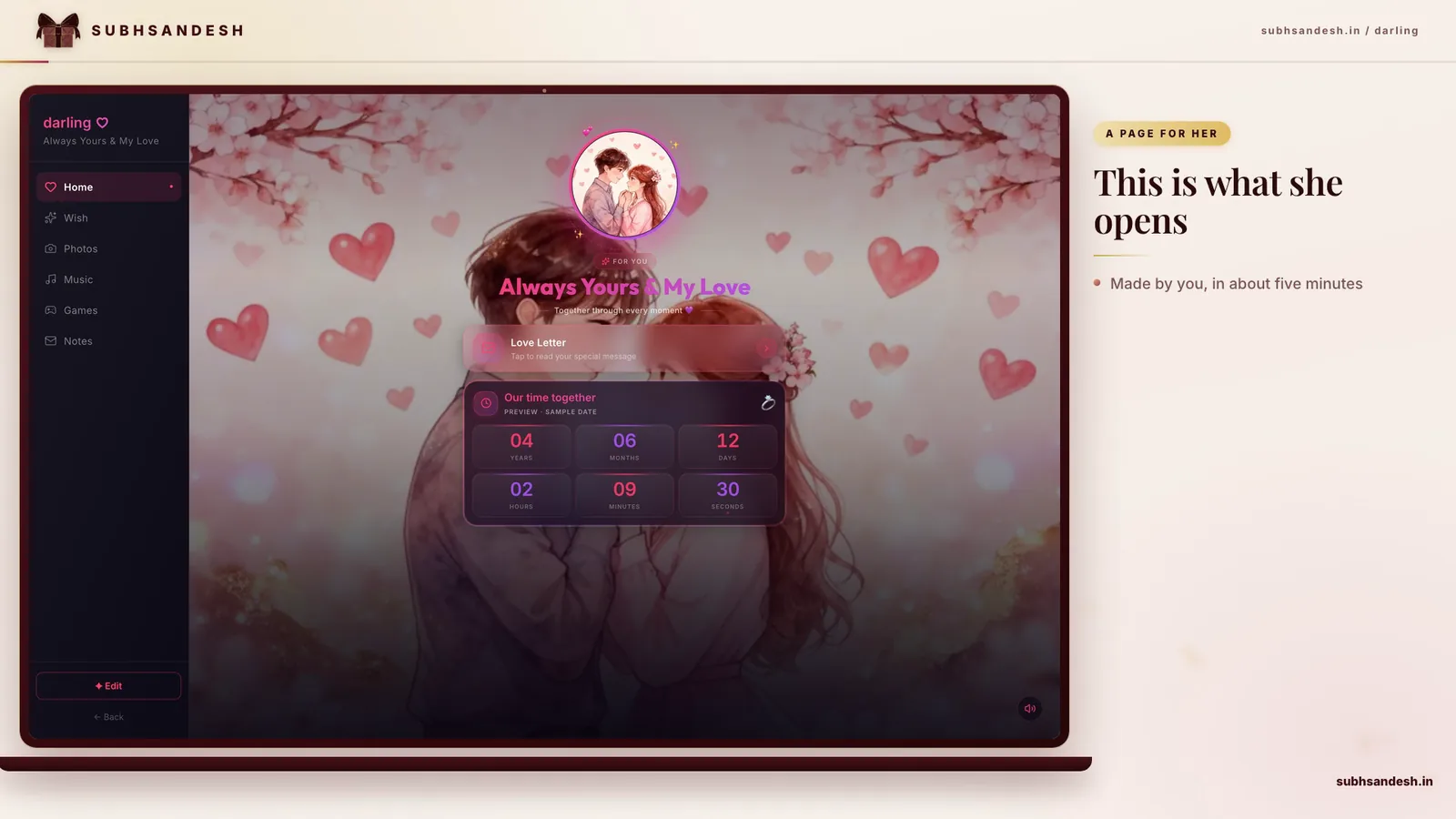
    You can create this exact experience on SubhSandesh. Templates are mobile-optimized and built for private sharing, so you can send one link and let the page do the rest. See romantic options like the Love page or explore anniversary and special-occasion templates like Anniversary. For a quick romantic tone with darker drama try Darling. Browse all templates here: https://subhsandesh.in/templates.

    A simple checklist before you share

    • Is the lead photo centered and uncropped awkwardly?
    • Is text readable on a phone screen?
    • Did you export a story-sized and a square-sized copy?
    • Is the file size optimized for mobile networks?
    • If using a private page, did you preview on a phone?

    Troubleshooting common issues

    • Blurry photos: revert to a higher-resolution original or reshoot in natural light.
    • Text unreadable: add a semi-opaque overlay or move the text to a plain area.
    • Slow loading: reduce image resolution to 1080 px on the long side and compress to 80% quality.

    Two short sample captions you can use

    • “Happy Girlfriend Day — still my favorite hello.”
    • “For all the small moments that became ours. Happy Girlfriend Day.”

    Final note: small details matter

    A single well-composed image and a short, sincere caption will usually mean more than a dozen overedited photos. Focus on one honest feeling—gratitude, playful affection, or being proud of her—and let that guide your images and words.

    Ready to make her day? Create your free SubhSandesh page in minutes and share a private link with images, captions and music. Browse templates and start here: https://subhsandesh.in/templates

    #girlfriend-day#images#WhatsApp-status#romantic#SubhSandesh

    Frequently Asked Questions

    The best images are warm, personal, and sincere: a candid photo of the two of you, a soft portrait of her, or a simple graphic with a short message. Choose pictures that show emotion—smiles, eye contact, or a shared moment—and pair them with a 6–12 word caption that feels like you.
    You can find free images on reputable stock sites, but the most meaningful options are photos you’ve taken together. If you want a ready-made curated look, SubhSandesh offers templates and image-ready pages that combine photos, text, and music into a private link you can share instantly: https://subhsandesh.in/templates.
    Use 1080 × 1920 pixels (9:16 aspect ratio) for WhatsApp status to fill the screen without cropping. Export at high quality (JPEG 80–90%) and keep the file under 2 MB for fast uploading across mobile networks.
    For Instagram posts use 1080 × 1080 (1:1). For Instagram Stories use 1080 × 1920 (9:16). Save a square and a portrait export so you can post both as a gallery and a full-screen story.
    Pick one great photo, add a short caption, apply a soft color overlay for contrast, and export at the right size. If you want a faster route, create a shareable page on SubhSandesh with your photo, a short message and background music — ready in minutes.
    Yes—short videos or GIFs (5–15 seconds) are very engaging for status updates. Use loop-ready clips, keep file size small (under 5–10 MB for WhatsApp), and add captions or a one-line message so the emotion is clear even on mute.
    Short and sincere captions land best: 6–12 words like “You make everyday special” or “Happy Girlfriend Day, my sunshine.” Keep it personal—use a nickname or mention a small shared memory to make the message feel intimate.
    Choose 3–6 complementary photos, keep consistent margins and rounded corners, and use a single neutral background color. Balance candid shots with one portrait. Use the collage builder in an editor or create a private collage page on SubhSandesh to present multiple images beautifully.
    Opt for soft, warm colors—muted pinks, cream, dusty rose or soft gold. Use one readable sans-serif for short captions and a gentle script only for small accents. Keep contrast high between text and background for mobile readability.
    Yes—many downloaded images are copyrighted. Use royalty-free stock with a clear license, choose Creative Commons images that allow sharing, or better yet, use your own photos. SubhSandesh encourages personal photos and provides templates to frame them legally and beautifully.
    Absolutely. You can build a private image page with a message and music and share a single link via WhatsApp or SMS. SubhSandesh makes this easy with private, ready-to-share pages so only people with the link can see your surprise: https://subhsandesh.in/templates.
    Crop using the 9:16 ratio preview and keep important subjects centered or slightly offset (rule of thirds). Leave breathing space around the head and shoulders. Preview on a phone before uploading to ensure no key details are accidentally cropped.
    Either works. If the photo is emotionally strong, a simple caption in the status text may suffice. If you want a shareable image, add a short overlay line—no more than 6–12 words—so the message reads instantly at a glance.
    JPEG works best for photos because it balances quality and file size. Use PNG for images with transparent elements or crisp graphics. Keep file size under 2 MB for reliable uploads on mobile networks.
    You can’t add music to a single static image on WhatsApp, but you can create a private image page with background music and a slideshow. SubhSandesh allows you to add music to your image-filled page so she opens a page with photos and a meaningful song.
    Short and intimate works: “My favorite hello,” “You’re my person,” “Happy Girlfriend Day, always yours.” Keep it genuine—use one line that would make her smile or recall a private joke or nickname.
    Yes—use story editors that support text animation or export a short video with animated text. Animated captions draw attention but keep them subtle and slow enough to read. SubhSandesh pages can include light animations if you prefer a link-based surprise instead of a story video.
    Resize to the exact target resolution (1080 × 1920 for stories; 1080 × 1080 for posts), then save JPEG at 80–90% quality. Tools like mobile photo editors let you preview size vs. quality. Avoid repeated re-saves, which reduce clarity.
    Create a short timeline page: a photo from when you met, a favorite trip photo, and a current portrait with captions for each. Add her favorite song and a final message. Build it on SubhSandesh, share the private link, and watch her open a thoughtful visual story: https://subhsandesh.in/templates.
    Five to ten images usually feel perfect—enough to tell a short story but not overwhelm. Begin with a candid photo, include two memory shots, one portrait and end with a recent happy picture and a message.
    Light edits are fine—brightness, contrast, and a gentle warmth filter. Avoid heavy filters that change skin tones or erase real features. Authenticity matters; subtle corrections keep the image feeling honest and personal.
    Select a portrait, add a soft background and a 1–2 line caption, maybe overlay a faded heart or frame. Export a story-sized and square-sized version for sharing. Or use SubhSandesh templates to assemble a romantic page that behaves like a digital card with images and music.
    Think about her routine—morning coffee or early evening after work are often ideal. Send the link or status when you know she’ll be on her phone (avoid very late hours). A private message with the image + a note like “Open this when you’re free” adds warmth.
    Pick the photo that captures the emotion you want: a candid laugh for playfulness, a close portrait for intimacy, or a shared moment for nostalgia. The lead image should set the tone and pair well with your opening message.
    Yes. Upload multiple images as separate status entries in a row (up to 30 seconds each). Arrange them so the story flows—start with a smile, add memory shots, and finish with a final message image or short video.
    Use a page builder that supports sections. Create a lead image, then add a text block below for your message. SubhSandesh pages let you place photos and then a heartfelt note underneath, all presented in a clean mobile-first layout.
    Generally no—watermarks can feel impersonal. Only watermark if you’re protecting original art you’ve created for public distribution. For private messages and surprises, keep images clean and personal without visible logos.
    Use large, high-contrast fonts with simple backgrounds or a semi-opaque overlay behind text. Aim for font sizes that are legible at arm’s length and keep text lines short (6–12 words). Preview on a phone before sharing.
    Keep two exports: square (1:1) for feeds and portrait (9:16) for stories/status. This covers the most popular placements while preserving composition. Use the square image for Instagram and the portrait for WhatsApp and Instagram stories.
    Choose a palette of 2–3 colors, a primary readable font and a single decorative accent font. Apply the same filter or color overlay to all photos for cohesion. Build the set in an editor or assemble it on a SubhSandesh template for a consistent look through the shared page.
    WhatsApp itself doesn’t support scheduling statuses. Instagram can be scheduled on business accounts through third-party tools and Meta’s Creator Studio. For a private timed surprise, create a SubhSandesh page in advance and send the link when you want her to open it.
    Use a simple video editor or story maker: import 4–8 images, set each to 3–4 seconds, add a song, and export as a short video (10–20 seconds). Or put photos and music into a SubhSandesh page so she experiences the slideshow and music together via one link.
    Use mobile editors like Snapseed for retouching, Lightroom for color balance, Canva for overlays and text, or InShot for quick slideshow videos. These tools are approachable for beginners and let you export in story and post sizes.
    Create the slideshow on a platform that allows private pages and share only the link. SubhSandesh provides private shareable pages that are viewable only by people who have the URL; you control who receives it.
    Both can work. One powerful image with a strong caption feels intimate; a 6–12 second slideshow tells a short story and can be more surprising. If unsure, send a single image and follow up with the slideshow link for an extended surprise.
    Apply muted contrast, warm highlights, gentle grain, and faded blacks. Use a single preset or filter across all photos for consistency. Avoid overdoing the effect—subtlety keeps the photo feeling timeless rather than artificial.
    Keep originals at the highest resolution your phone or camera provides—ideally at least 2000–3000 pixels on the long side. Save a master copy in JPEG or HEIC (if supported) and export lower-resolution copies for sharing.
    Use a two-line layout: a prominent short line (6–10 words) and a smaller subtitle if needed. Place text over darker or lighter negative space and avoid covering faces. Limit the quote length to preserve visual clarity on mobile screens.
    Use one or two small, meaningful stickers—an emoji heart, a small flower, or a shared inside-joke icon. Place them in a corner or near the caption. Overuse of stickers can make an image feel juvenile, so keep it minimal.
    Design at 300 DPI with bleed (e.g., 5 × 7 inches at 1500 × 2100 pixels plus bleed). Keep text inside the safe area away from edges. Export as PDF or high-quality JPEG when ready for printing.
    Avoid long paragraphs of text, overly heavy filters, low-resolution images, and cropping that cuts a person’s head or expression. Don’t use images that feel staged or impersonal—authenticity matters most.
    Use a GIF maker or video editor: sequence 5–8 stills, set each frame to 0.2–0.6 seconds, and export as a looping GIF. Keep the file size below 5 MB for easier sharing on messaging apps.
    Yes. Build a private page with photos, small interactive elements (like countdowns), and a final message or question. SubhSandesh supports creating interactive surprise pages with images and small game elements to make the reveal playful and private.
    Think about her personality and your relationship tone. Choose formal romantic imagery if she prefers elegance; choose playful candid shots if she values humor and spontaneity. The image should feel like your relationship’s natural voice.
    Order images chronologically, add short captions (year or memory line), and end with a present-day photo and message. Use consistent color grading and a simple layout. A SubhSandesh page is ideal for presenting a small timeline in a clean, mobile-ready format.
    Share privately via a one-to-one message or a private page link rather than posting publicly. For extra care, ask the recipient not to forward. SubhSandesh private pages are viewable by link only, which reduces public exposure.
    Absolutely. Handwritten notes scanned or photographed are deeply personal and read as intimate. Place the note image near your lead photo or embed it within a SubhSandesh page to preserve the tactile feel.
    Use one high-quality portrait, a neutral background, and a short caption in a readable font. Minimalism relies on composition: center the subject, keep negative space, and let emotion carry the message without extra graphics.
    Crop to the right ratio, adjust exposure and contrast, warm the color temperature slightly, remove small distractions, and sharpen a touch. Export at the target size for the platform to avoid extra compression.
    Create a page with a lead image, a countdown widget to a special time, and sequential images with captions. SubhSandesh offers templates that combine photos and countdown timers so you can build a timed surprise page in minutes.
    Use soft natural light—early morning or late afternoon (golden hour). Position the light source to one side for gentle modeling and avoid overhead harsh shadows. Soft indirect window light also produces flattering portraits.
    Apply the same color preset or filter to all images, keep white balance consistent, and adjust exposure uniformly. This cohesive grading makes a multi-photo page or collage look intentional and polished.
    Yes—adding an audio clip or favorite song enhances the emotional impact. SubhSandesh pages support background music and short audio clips so your images can be accompanied by a recorded message or song choice.
    Choose the gift’s dominant color and incorporate it into your overlays, borders, or backgrounds. Use matching typography and small accents in that color across all images to tie the visuals to the present.
    It can be impersonal if the focus isn’t on her. If you include others, make sure the composition highlights your partner and the memory shared. Preferably use images where she is clearly the subject or where you two share a meaningful moment.
    Export both square and portrait sizes and email them to yourself, then open on different devices. Preview in messaging apps and on Instagram/WhatsApp previews. This ensures the caption and cropping work across popular screens.
    Create a private page or photo album that hosts all images and share the link. SubhSandesh lets you assemble photos, add a message and music, and publish a single private link in minutes which you can send via WhatsApp or SMS: https://subhsandesh.in/templates.
    Use high-contrast color combinations, large fonts, and avoid decorative scripts for essential text. Provide the same message in the accompanying caption or message so screen readers can also convey your words.
    Subtle motion like a slow heart pulse, a soft vignette fade, or a gentle parallax between foreground and background adds life without distraction. Keep animations short and loop smoothly to avoid harsh transitions.
    Technically yes, but it’s unnecessary for most surprises. A playful approach is to overlay a faint subtitle visible on closer inspection or a small date hidden in a corner. Keep it light-hearted rather than cryptic.
    Use descriptive filenames with dates, e.g., 2024-03-01_Paris-cafe.jpg. This helps you sort chronologically when assembling a timeline or slideshow and speeds up the editing and upload process.
    Yes—collect a few short clips or heartfelt photo messages, keep each under 10 seconds or one image, and assemble them into a short slideshow or page. Coordinate file sizes and send clear instructions on orientation and tone.
    Optimize images to web-friendly sizes (1080 px width for portraits), compress to reasonable quality, lazy-load images if possible, and avoid dozens of full-resolution files. SubhSandesh templates are optimized for mobile performance to deliver fast-loading pages.
    Keep it sincere and short: “Thank you for being my home,” “Here’s to us, today and always,” or “Happy Girlfriend Day—love you more every day.” Let the closing mirror your genuine feeling rather than sounding grandiose.
    Ask 3–5 playful questions that reference shared memories and show the correct photo after each answer. Use a page builder that supports simple interactions. SubhSandesh pages can host image sequences and interactive elements for a playful reveal.
    Yes—professional portraits look elegant on stories. Crop carefully for 9:16, keep captions minimal, and ensure the image feels intimate rather than overly posed for the personal tone of the occasion.
    Use two fonts maximum: one readable sans-serif for body text and a single decorative script for accents. Consistent typography helps your images feel cohesive and avoids a cluttered look.
    Absolutely—nostalgia can be powerful. Pair the throwback photo with a caption that references the memory and connects it to the present to give the post warmth and continuity.
    SubhSandesh provides image-ready templates that combine photos, short messages and music into a private, mobile-optimized page you can publish in minutes. Pick a template, add images and text, and send a single link—no design skills required: https://subhsandesh.in/templates.
    SubhSandesh optimizes images for mobile display and presents them in templates designed for common ratios. While you should export platform-specific sizes if you prefer, the templates handle responsive display so your images look great on phones.
    Yes—the page is only accessible to people who have the direct link. You control distribution by who you send the URL to, which lets you keep your Happy Girlfriend Day images and message private.
    A simple photo page with a lead image, three memory photos and a message can be built in 5–10 minutes. More elaborate pages with music and extras might take 15–30 minutes—still much faster than coding or designing from scratch.
    Yes—adding a countdown builds anticipation. Use the countdown widget for a shared moment or planned reveal time. The template will show the timer prominently above your images and message.
    After you add images and text, use the preview option to view the page in a mobile frame. This helps you check cropping, text size and the order of images before publishing the private link.
    Yes—you can edit your page content, swap images, and update messages after publishing. The link remains the same so any changes you make will show instantly to anyone who opens the page.
    SubhSandesh supports audio and music with image pages. You can add a short recorded voice note or background song to enhance the emotional impact of your Happy Girlfriend Day images and message.
    Yes—create one page now, then duplicate it with new images and messages for different times. Share each link in sequence to make a day-long surprise using multiple private pages tailored to each moment.
    SubhSandesh stores images for pages and shares them via private links only. Avoid sharing the link publicly. If you want extra control, keep copies offline and publish only when ready. The platform focuses on mobile-friendly private sharing for meaningful moments.
    Choose a collage-friendly template, upload 4–8 photos, add short captions for each, and pick a background tune. SubhSandesh lays out images in a clean sequence so the collage reads like a short visual story—share the link when ready.
    Yes—SubhSandesh optimizes images for mobile display while preserving visual quality. Upload high-resolution originals; the template will serve properly sized images so they look crisp on modern phone screens.
    SubhSandesh

    Turn this inspiration into an unforgettable surprise

    Build a page with photos, a heartfelt message, music and a ready-to-share link.

    • Photos, message & music
    • Ready-to-share link
    See all occasions
    Suyash Agrahari

    Written by

    Suyash Agrahari

    Founder

    Suyash Agrahari is a Software Engineer at HireQuotient and the founder of SubhSandesh and DrawFlow (drawflow.in). He builds AI agents and full-stack products with Next.js, Node.js, and the OpenAI and LangChain ecosystems, having shipped autonomous multi-agent systems, AI copilots, and large-scale outreach platforms — and scaled side projects from a few hundred to millions of users. He writes about AI engineering, web development, and building products that grow through SEO and organic reach.

    Keep reading