
Make Raksha Bandhan Card Online With Name, Start to Finish
Seven ordered steps for making a Raksha Bandhan card online with a name: what to gather before you open the editor, where people stall, and how to check the spelling, the phone crop and the link before you send it. With hands-on times per step and a 99.4% publish-through rate.
Make this into a page you can send
Photos, a message, music and a ready-to-share link — in a couple of minutes.
or browse all occasionsKey takeaways
- • Hands-on time is 8-15 minutes, but the median gap between a page's first save and its last edit is 6.9 hours (n=913, measured 2026-08-18) - most people finish across two sittings, not one.
- • Abandonment is not the real risk: 99.4% of started SubhSandesh pages are published and shared (2,701 of 2,718, measured 2026-08-18).
- • Every step is reversible after sharing except the sending itself, which is why the phone preview and the logged-out link test belong before you hit send.
- • A misspelled name is the one unfixable error, and it is the hardest kind to catch: wrong-word errors are detected less often than obvious misspellings (Psychological Research, July 2022).
- • Check the photo crop on a handset, not in the desktop editor - 51.9% of shared pages are opened on a phone (16,952 of 32,683 views, measured 2026-08-18).
On this page
Make Raksha Bandhan Card Online With Name, Start to Finish
To make a Raksha Bandhan card online with a name, gather three things first — the spelling of his name exactly as he writes it, one photo you already own, and a decision about script — then work seven steps: pick the template, type the name, add the photo, write one line, set a password, preview on your own phone, open the link in a private window. Hands-on time is 8 to 15 minutes. Finishing takes longer: across 2,718 SubhSandesh pages, the median gap between a page's first save and its last edit is 6.9 hours (sampled on /love-gf, n=913, measured 2026-08-18). Abandoning it is not the risk — 99.4% of started pages are published and shared, 2,701 of 2,718 (measured 2026-08-18). Getting the name wrong is. Below: the procedure, the stall points, and the one check that matters.
What making a Raksha Bandhan card online with a name actually involves
It means putting a specific person's name into a card you assemble in a browser, then handing that card over as a link or a file. No design skill, no install; you are filling in a form and previewing the result.
Worth saying plainly, because "card" suggests a craft project and the reality is closer to a checkout flow. SubhSandesh runs 13 page types on that pattern, 2,718 pages since 2026-03-12 (measured 2026-08-18). The named field is the whole point, which is why it is the field that can ruin it.
Three things to have ready before you open the editor
Most of the friction happens before any editor is open, and two minutes here saves the sitting.
- The spelling he uses. Not the spelling on his Aadhaar and not your guess — the one he signs off with in WhatsApp. Aman or Amaan, Rakesh or Rakhesh, Sidharth or Siddharth. Scroll up in the chat and copy it.
- One photo already on your phone. Not a shoot. Something you can find in under a minute; if you cannot, use the template's rakhi artwork instead, which is a perfectly good outcome.
- A script decision. English letters or Devanagari? If his name goes in Hindi or Marathi, type it in the script rather than transliterating by eye — a name transliterated wrong reads as a stranger's.
The seven steps, in order
Each step states what you do, why it matters, roughly how long it takes, and what breaks if you skip it. Times are hands-on minutes, not elapsed time.
1. Pick the template before you write anything
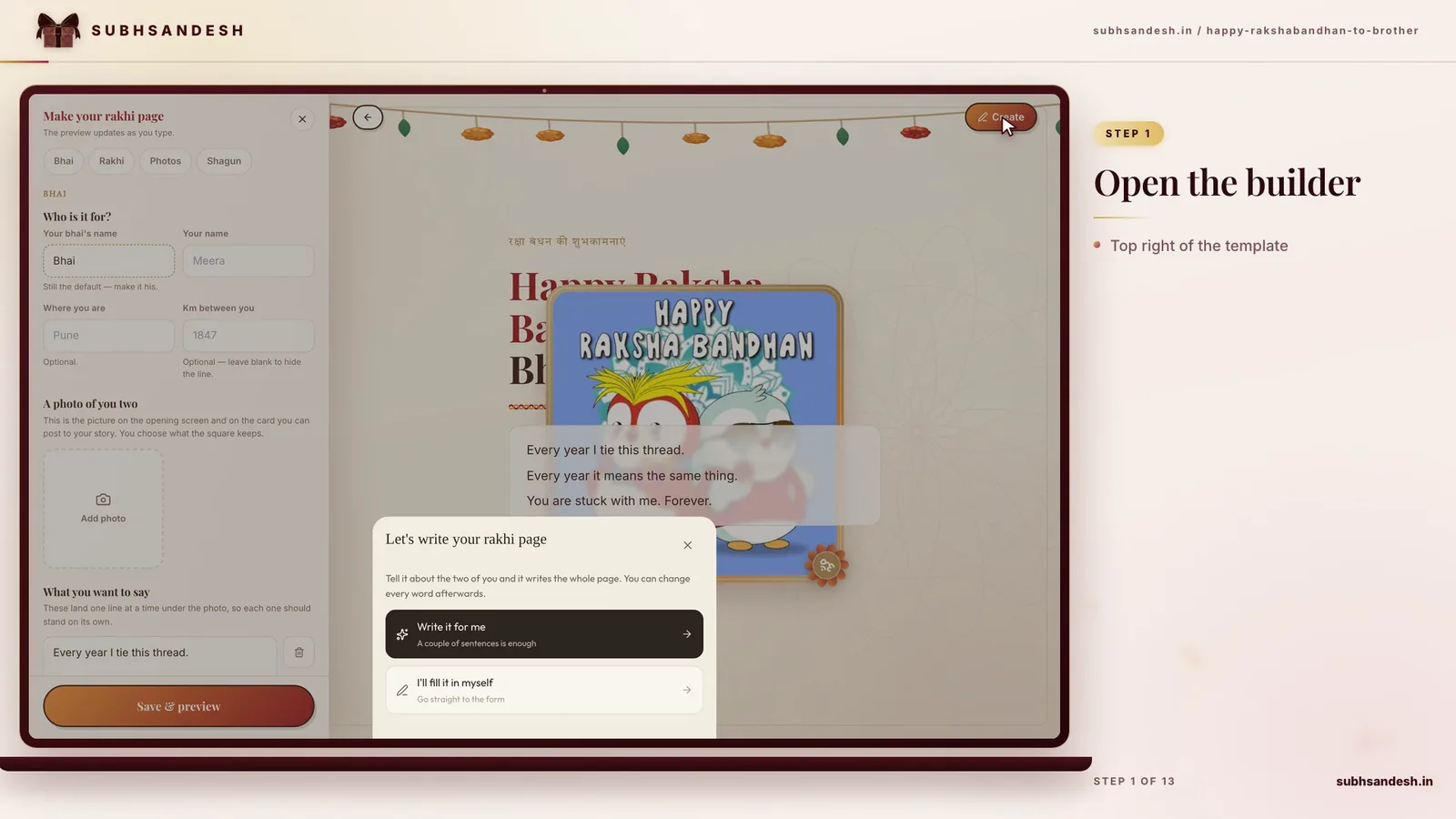
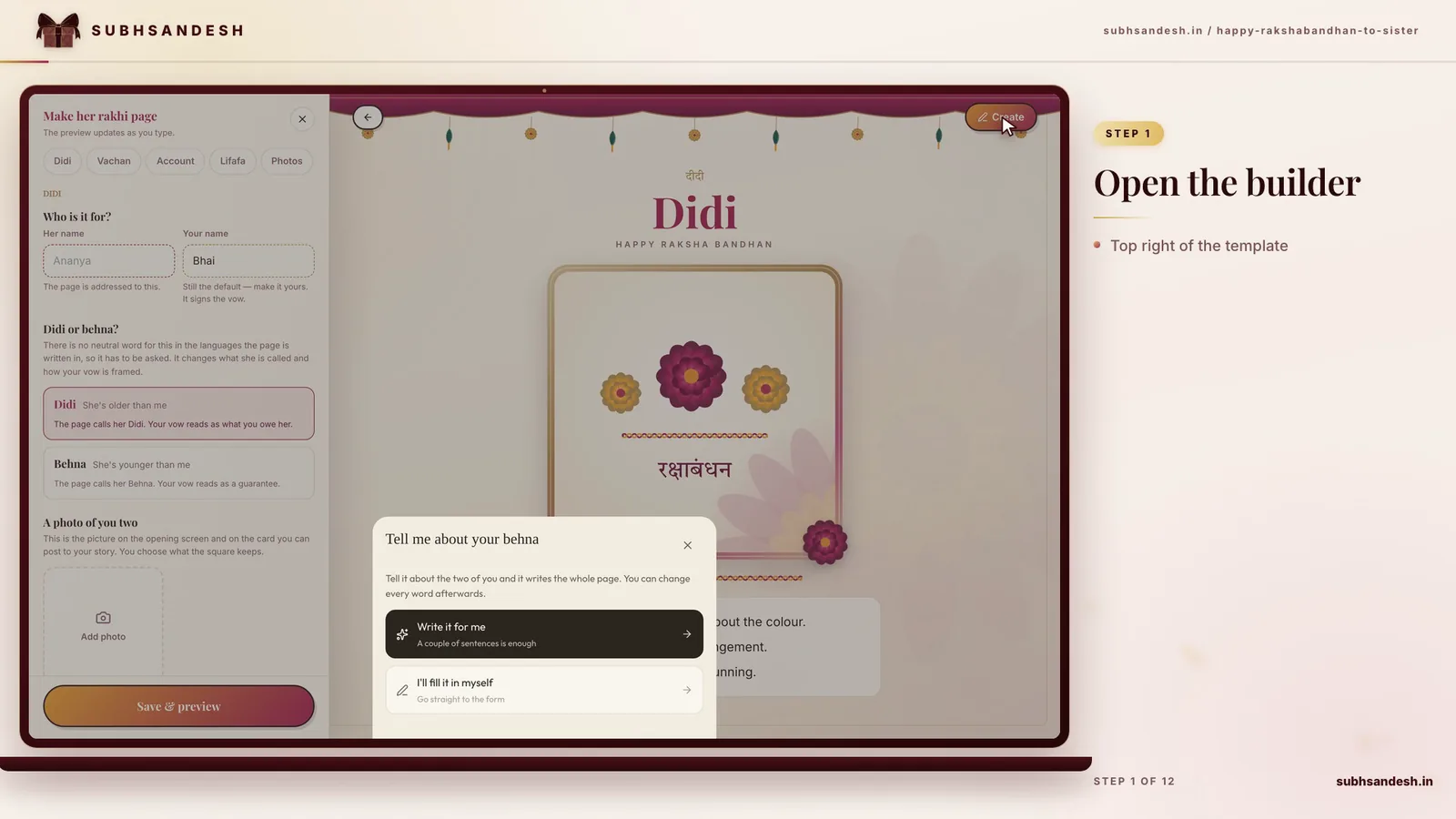
Choose the design first, because it decides how much text fits and where the name sits. On SubhSandesh the Raksha Bandhan page for a brother is the rakhi template, and it is built brother-first — the animated tilak, aarti and rakhi-tying scenes address a brother. Sending to a sister? Pick something neutral from the SubhSandesh template gallery instead of forcing the wrong one. Takes 1–2 minutes. Skip it and you rewrite your message to fit a layout you never saw.
2. Type the name — paste it, don't type it
Paste the spelling you collected instead of typing from memory. This is the field he reads first and the only one he will notice if it is wrong. Takes 20–30 seconds. Skip the paste and you have introduced the one error this card cannot absorb, which gets its own section below.
3. Add the photo, then look at the crop
Upload it and check the crop instead of trusting the desktop preview. 51.9% of shared pages open on a phone — 16,952 of 32,683 recorded views (measured 2026-08-18) — so a face centred on a wide desktop canvas can arrive with a forehead missing. Takes 2–4 minutes including a re-crop. Skip it and half your recipients see the bad version.
4. Write one specific line, not a stock wish
One dated, concrete sentence beats four generic ones and is faster to write: name the year, the place, the argument you both still bring up. Takes 3–6 minutes, and this is the step where the tab gets put aside. Skip it and the card is a template with a name typed into it, which he can feel.
5. Set the password before you publish
If it is going to one person, protect it. 44.3% of SubhSandesh creators password-protect their page before sharing — 1,205 of 2,718 (measured 2026-08-18) — and doing it before publishing means the link is never briefly open. Takes 20 seconds. Skip it and a forwarded link is readable by whoever receives it.
6. Preview it on your own phone
Open the published page on your own handset before sending. The editor is a desktop-shaped lie; a phone shows the real line breaks, the real crop and the real name rendering. Takes 1–2 minutes. Skip it and your recipient is your tester.
7. Open the link in a private window
Paste the link into an incognito window, logged out. Almost nobody runs this step and it catches the worst failure — a link that works for you because you are signed in and shows your brother a login wall. Takes 30 seconds; if you set a password, confirm it works here. Skip it and he tells you.
Where people stall, and what a 6.9-hour edit gap means
The stall is almost always step 4, the message, and almost never step 1. Nobody abandons a card because the template was hard to pick; they abandon it because they opened the message box with nothing prepared.
Two findings explain the shape. Getting through an online form is largely a property of the form, not of your patience: a CHI 2014 eye-tracking experiment with 65 participants found that applying 20 web-form usability guidelines to real company forms cut mean completion time by 25%, 33% and 18% — 113 seconds to 85 on one form, 105 to 70 on another. And a task left mid-way is rarely resumed straight away: Mark, González and Harris found 57% of working spheres are interrupted, with most interrupted work resuming the same day but only after more than two intervening activities.
That is what our 6.9-hour median gap looks like from outside: people save, get pulled away, come back. So save early — and treat the return visit as the moment to check the name, not to add sentences.
Finishing matters more than polishing, and there is money-measured evidence for both halves. In five studies of online design toolkits, participants who reproduced a T-shirt design themselves bid €6.85 against €4.75 for the identical off-the-shelf design, over 40% more, with the effect mediated by feelings of accomplishment. But in the IKEA-effect experiments, builders who assembled a storage box bid $1.46 for it while "incomplete builders" asked to stop before the last two steps of the identical box bid $0.59. Two steps short costs most of the value.
The one mistake you cannot take back: a misspelled name
You can re-crop the photo, rewrite the line, change the template and reset the password, and the link stays the same. You cannot un-send a card that spelled his name wrong. It converts a gesture meaning I thought about you specifically into evidence that you did not, and no amount of design rescues it.
The uncomfortable part is that you are a poor detector of this error. Two eye-tracking experiments published in Psychological Research in July 2022 found wrong-word errors were detected less often than non-word misspellings — a real name spelled as a different real name slips past far more easily than an obvious typo. "Rakhesh" for "Rakesh" looks wrong on sight; "Rohit" for "Rohan", or "Aman" for "Amaan", does not.
The same study is honest about a claim you may have heard: it found no reliable evidence that your own writing is harder to proofread than someone else's. What it did find is that people who spent longer looking caught more errors.
So the fix is boring. Read the name aloud, then compare it character by character against the message he sent you. If someone is nearby, have them read it too — on the return visit, when the text is no longer fresh in your head.
Which steps you can fix after sharing, and which you cannot
This compares the seven steps on time and reversibility, with the first-party number attached to each.
| Step | Hands-on time | Fixable after you share? | First-party signal (measured 2026-08-18) |
|---|---|---|---|
| Type the name | 20–30 sec | Yes — edit the page, link unchanged | 2,718 pages created across 13 page types |
| Add and crop the photo | 2–4 min | Yes, and worth re-checking | 51.9% of 32,683 views open on a phone |
| Write the message | 3–6 min | Yes — this is where the edit gap goes | median 6.9 h from first save to last edit |
| Set a password | 20 sec | Yes, but they may already have opened it | 44.3% of creators set one (1,205 of 2,718) |
| Send the link | 10 sec | No — it is out of your hands | 99.4% of started pages get published (2,701 of 2,718) |
Everything is reversible except the sending, which is why steps 6 and 7 sit before it.
When making the card online is the wrong choice
If he has no smartphone, or reliably ignores links, stop here — no animation fixes a page he never opens, and our numbers assume a recipient who taps: 51.9% of 32,683 views arrive on a phone.
If you are in the same house, an online card is worse than the thirty seconds it takes to say the thing out loud. And if you cannot find ten uninterrupted minutes today, a plain message with his name spelled correctly beats a half-finished card — the direct reading of the IKEA-effect result.
Where it genuinely wins is distance plus specificity: he is in another city, you have one photo and one memory worth naming, and you want it to land today. That case is the Raksha Bandhan page for a brother, and Raksha Bandhan 2026 falls on Friday 28 August.
Sources
- Norton, Mochon & Ariely. The "IKEA Effect": When Labor Leads to Love. HBS Working Paper 11-091, 2011.
- Seckler et al. Designing Usable Web Forms. CHI 2014.
- Burgoyne et al. Revisiting the self-generation effect in proofreading. Psychological Research, 6 July 2022.
- Franke, Schreier & Kaiser. The "I Designed It Myself" Effect in Mass Customization. Management Science 56(1), 2010.
- Mark, González & Harris. No Task Left Behind? CHI 2005.
Frequently Asked Questions
Turn this inspiration into an unforgettable surprise
Build a page with photos, a heartfelt message, music and a ready-to-share link.
- Photos, message & music
- Ready-to-share link

Written by
Suyash Agrahari
Founder
Suyash Agrahari is a Software Engineer at HireQuotient and the founder of SubhSandesh and DrawFlow (drawflow.in). He builds AI agents and full-stack products with Next.js, Node.js, and the OpenAI and LangChain ecosystems, having shipped autonomous multi-agent systems, AI copilots, and large-scale outreach platforms — and scaled side projects from a few hundred to millions of users. He writes about AI engineering, web development, and building products that grow through SEO and organic reach.
Stay Connected
Follow SubhSandesh
New templates, festival ideas and step-by-step walkthrough videos — first on our socials.
Product guide
See it built, step by step
Keep reading
Thala Deepavali: A Couple's First Deepavali at the Bride's Home
Thala Deepavali is a Tamil couple's first Deepavali after marriage, at the bride's home. In 2027 it is Thursday 28 October, oil bath 4:40–6:01 AM in C…
 Suyash Agrahari· 9 min
Sugar-Free Diwali Sweets: Swaps, Label Warnings and the Evidence
Five original no-added-sugar Diwali sweets, why jaggery and honey do not count, the warnings FSSAI requires on a sugar-free box, and what an Indian su…
Suyash Agrahari· 9 minShort Diwali Quotes: 34 Original One-Liners Under 10 Words
34 original short Diwali quotes, each under ten words and marked with its word and character count, grouped by mood: lamps, family, friends, gratitude…
Suyash Agrahari· 9 min