Digital Gifts & Romance

    National Girlfriend Day Images: Ideas, Sizes, and How to Make a Personalized Shareable Page

    Find beautiful National Girlfriend Day images, ready-made ideas and exact image sizes for WhatsApp, Instagram and stories. Learn simple step-by-step tips to create a personalized, shareable page with your image and message on SubhSandesh in minutes.

    Suyash Agrahari· 7 min read

    Key takeaways

    • A great National Girlfriend Day image uses a clear focal photo, simple heartfelt text, and sizes matched to the platform you’ll share it on.
    • You can make a private, beautifully-styled National Girlfriend Day image page in minutes using ready templates and add music, countdowns, and photos.
    • Pick candid or themed photos, use complementary colors for text, and avoid over-cluttering—less visual noise means more emotion.
    • For mobile sharing, export images as 1080×1350 (Instagram post) or 1080×1920 (Stories); SubhSandesh pages automatically look great on phones and WhatsApp.

    Quick answer: For National Girlfriend Day images, choose a clear, emotive photo or a tasteful illustration, size it for the platform you’ll use (1080×1920 for Stories, 1080×1350 for Instagram posts), and keep the message short and personal. If you want more than an image, build a private, shareable page with photos, music and a message using SubhSandesh.

    What makes a great National Girlfriend Day image?

    A great image makes her feel seen. That usually means a photo where she’s relaxed and the emotion reads at a glance — a candid laugh, a quiet close-up, or a memory shot from a trip. Keep these design rules in mind:

    • One focal point: a single face or object keeps attention.
    • Short text: 6–12 words is enough for most captions.
    • High contrast: text should read without squinting.
    • Mobile-first: design for phone screens first since most sharing is mobile.

    Small creative choices matter more than expensive editing. A simple heart doodle, the date in the corner, or a line that only you two understand will make a basic image feel intimate.

    Example image types that work well

    • Close-up candid portrait with soft natural light.
    • A photo of a tiny shared moment (coffee cups, hands together).
    • Minimal graphic with a short romantic headline.
    • Collage of 3 favorite moments with a consistent color treatment.

    20 creative National Girlfriend Day image ideas (extractable list)

    1. Her laughing candidly, cropped to focus on that smile.
    2. A soft Polaroid-style frame of your first trip together.
    3. A minimal graphic: single heart icon with "You".
    4. A nighttime skyline where you took a memorable walk.
    5. A handwriting note photographed beside a coffee cup.
    6. A sequence of three photos: meet, trip, now.
    7. A screenshot of a sweet voice note (with context).
    8. A close-up of a gift you gave her, with a date.
    9. A short looping clip (5s) of her spinning in a dress.
    10. A black-and-white portrait with a one-line caption.
    11. A collage of tiny icons representing inside jokes.
    12. A map pin photo showing the spot you first met.
    13. Soft pastel background with a bold single-line message.
    14. A candid photo of an ordinary day that means a lot.
    15. A photo of an item that tells a story (hat, film ticket).
    16. A vertical image with a heart-shaped crop on the face.
    17. An illustrated portrait in a flat, gentle color palette.
    18. A photo with a subtle frame and the date.
    19. A mini timeline image of first-date to present.
    20. A duet-style image of two halves stitched together.

    How to make a personalized National Girlfriend Day image (7 simple steps)

    1. Pick one or two photos that capture the feeling you want to share.
    2. Decide the platform (WhatsApp, Instagram, Story) and crop accordingly.
    3. Add a short caption or date — keep it 6–20 words.
    4. Adjust exposure, shadow and contrast so faces are clear.
    5. Add a subtle overlay if text sits over a busy background.
    6. Export at the right size and quality (see size table below).
    7. Share privately or create a richer page with photos and music.

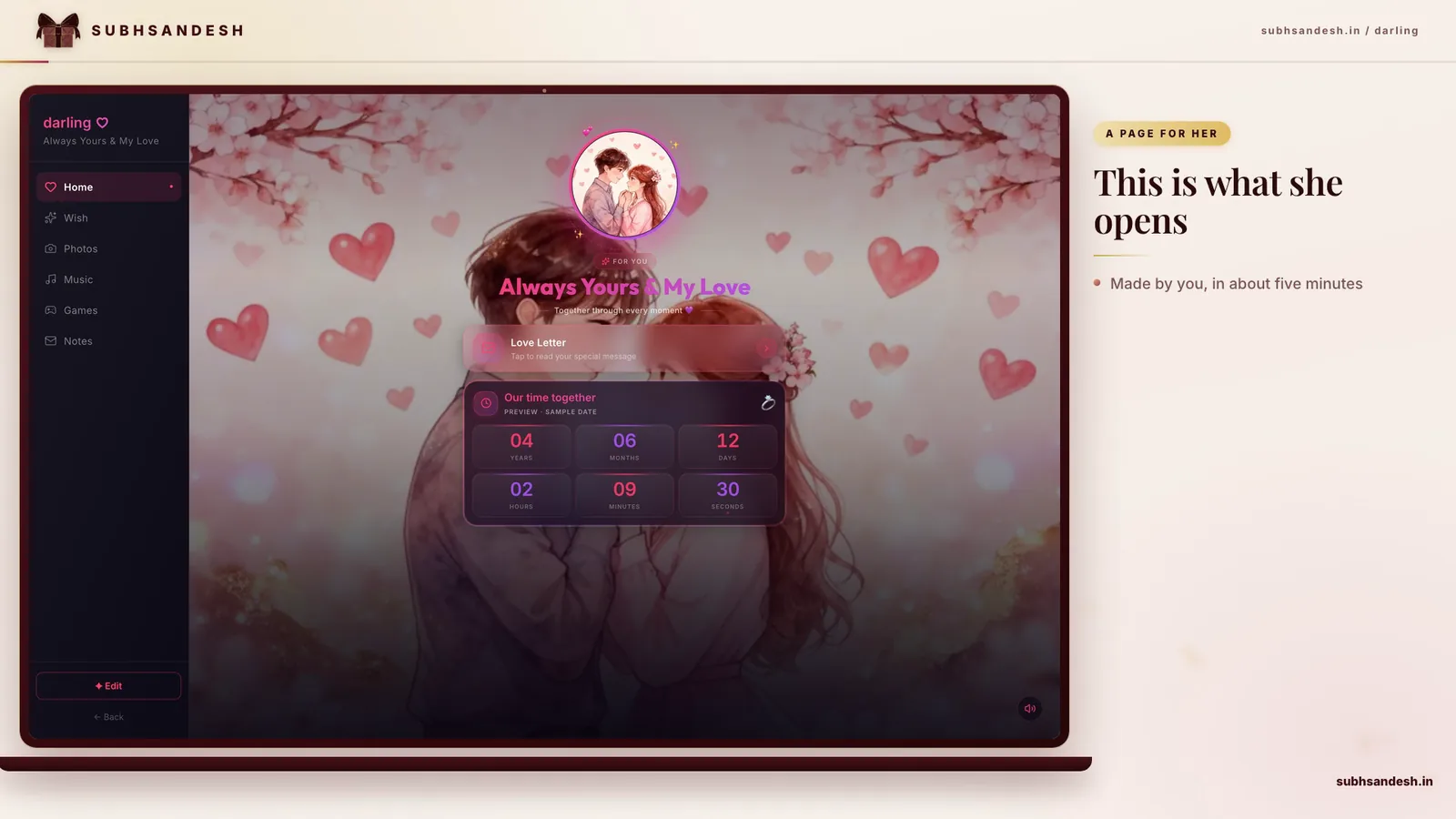
    If you want to do steps 1–6 in minutes without design work, SubhSandesh provides polished templates where you upload your photos, add text and music, preview on mobile and publish a private link instantly.

    Numbered steps you can follow right now

    1. Open your phone gallery and pick a photo.
    2. Crop to 9:16 for Story or 4:5 for feed.
    3. Tap the editor: increase exposure +10, raise shadows +15.
    4. Add sans-serif text, 30–40pt depending on the crop.
    5. Export as JPEG, 80% quality.
    6. Send or build a SubhSandesh page with the file.

    Exact image sizes and platform specs

    PlatformAspect RatioPixels to ExportNotes
    Instagram Feed (portrait)4:51080 × 1350 pxFills the feed nicely
    Instagram Square1:11080 × 1080 pxSafe for grids
    Instagram Story / WhatsApp Status9:161080 × 1920 pxFull-screen vertical
    Facebook Feed1.91:11200 × 628 pxHorizontal-focused
    Printable cardVariable300 DPI exportUse CMYK for printers

    Export in JPEG for photographs and PNG for images with transparent elements. Keep file size under 1–2MB for fastest mobile delivery.

    Captions that work: templates you can adapt

    • "Happy National Girlfriend Day — my favorite person, my favorite day."
    • "Every day with you feels like my best day."
    • "On this small holiday, I only have a big thank-you."
    • "For the one who makes ordinary days unforgettable."

    Make it personal: add an inside detail or a small shared memory to any template.

    Layout and typography tips

    • Use a maximum of two fonts: one display for the headline, one for body text.
    • Keep the headline centered or left-aligned depending on the photo composition.
    • Make sure text contrasts with the photo — add a 20–40% translucent black/white overlay if needed.

    When to send your National Girlfriend Day image

    Timing is personal. Many people send early morning to start her day, others choose an evening message to close the day warmly. If it’s a surprise reveal (like a linked page or short slideshow), coordinate so she has a quiet moment to open it.

    Quick templates and shortcuts

    If you want to skip design entirely, SubhSandesh has ready-made romantic templates where you upload a photo, add a one-line message, optionally attach music, and get a private shareable link. It’s an easy way to present an image with context — for example, a romantic 'I love you' page or a Valentine-style page tuned for affectionate messages like Valentine page for girlfriend.

    For birthdays or friend-focused tones, the platform includes templates such as Birthday surprise page for a girlfriend/partner and pages that work for best friends. Browse all ready templates here: Browse all templates.

    How to share privately and keep it special

    • Send via direct message with a short note rather than posting publicly.
    • For a larger experience, create and publish a SubhSandesh page and share the private link; the page can contain multiple images, music and a personal letter.
    • If others might see her screen, consider a private location (email or a link-in-DM) instead of public social posts.

    Mistakes to avoid

    • Don’t overload the image with long text.
    • Avoid heavy filters over faces.
    • Don’t include other people’s photos without permission.

    A brief comparison: Image-only vs. Private Page

    FeatureImage-onlyPrivate Page (SubhSandesh)
    SimplicityVery quickTakes slightly longer but richer
    MultimediaLimitedAdd music, multiple photos, animated sections
    PrivacyDepends on where you postPrivate link, unlisted by default
    KeepsakeSingle fileRevisitable page that feels like a memory book

    Final tips from the SubhSandesh team

    When the goal is to create a moment rather than just send a file, think in small stories: one photo, one line, one memory. If you want to make the gesture feel more substantial — with music, multiple photos and private presentation — you can build a complete, beautiful National Girlfriend Day image page on SubhSandesh in minutes. The templates handle layout and mobile presentation, so you focus on the memory.

    Ready to make their day? Create your free SubhSandesh page in minutes, pick a template from Browse all templates, add your favorite photo and message, then share the private link.

    #girlfriend-day#images#personalized-pages#SubhSandesh#shareable#romance

    Frequently Asked Questions

    You can find free National Girlfriend Day images on free-photo sites or by making your own using a favorite photo. For a private, personalized image page you can share on WhatsApp, SubhSandesh offers ready templates where you upload a photo, add a message and get a private shareable link in minutes (see templates).
    Use 1080×1350 pixels for portrait Instagram posts — it fills the feed and keeps your image sharp. Export as JPEG at 80–90% quality. If you want to add motion or music, publish a SubhSandesh page and link it from your Instagram bio or DM so she sees the full experience (see templates).
    Use 1080×1920 pixels (9:16) for Stories and WhatsApp Status — vertically framed images look native and immersive. Keep key text within the central 1080×1420 safe area so it isn’t cropped by UI elements.
    Pick a clear, well-lit photo where faces are visible and the emotion reads at a glance. Candid moments, a close-up smile, or a shared memory shot work best. If you prefer graphics, use a clean background with a single focal icon and a short message.
    Yes — a personalized image with a short heartfelt caption is powerful. Use a two-line caption, high-contrast type, and keep fonts simple. If you'd like a private, styled page with that image plus music and a message, SubhSandesh templates let you combine all elements quickly.
    Choose a clean sans or a gentle serif for readability, and stick to one accent color complementing the photo (soft pink, warm coral, ivory). Ensure text contrast is high: light text on dark areas or dark text on light areas. Keep text to 6–12 words for emotional punch.
    Yes — many images are protected. Use public-domain images, Creative Commons-licensed photos that allow sharing, or your own photos to avoid copyright issues. SubhSandesh encourages uploading your pictures or licensed artwork to build a private page without licensing worries.
    Use phone editing apps to crop, adjust exposure, and add text. For a polished result without design work, build a ready-made page on SubhSandesh: choose a template, upload your photo, add a short message and optional music — SubhSandesh handles layout and mobile optimization automatically.
    Short captions work best: 'My favorite hello and hardest goodbye', 'Lucky to call you mine', or 'Every day with you is my favorite'. Keep it sincere and personal — mention a small detail only she’d know to make it intimate and special.
    If posting an image, upload a short video or story with the music added in your phone editor. For a richer experience, create a SubhSandesh page where you attach a full song or background track that plays for the recipient when they open the page.
    JPEG works well for photos because of good compression; PNG is ideal for images with transparent elements or overlay text. Keep file sizes under 1–2MB for fast delivery on WhatsApp. SubhSandesh pages serve optimized images automatically, so recipients see fast-loading visuals.
    Limit to 3–4 photos, use equal-size frames or a clean grid, and keep margins consistent. Choose one dominant photo and smaller support shots. Add a brief caption or date only. If you want animated collages with music, SubhSandesh templates let you stack photos neatly and preview on mobile.
    Yes — illustrations can feel modern and thoughtful. Pick soft palettes, minimal lines, and make sure emotions read clearly. Keep text simple. SubhSandesh templates accept illustrations too, so you can pair an illustration with a message and background music on a sharable page.
    Short and focused: 10–25 words typically. Pick a single sentiment (gratitude, love, memory), one specific detail, and a closing line like 'Happy National Girlfriend Day'. If you have more to say, put the longer message on a SubhSandesh page linked from the image.
    Use a close-up candid photo, add a one-line caption, and frame it with a soft color overlay. For something faster, choose a template from SubhSandesh, upload one photo, add a message and hit publish — you’ll have a private page and link in under five minutes (see templates).
    Design for mobile-first: center the main subject, keep text within a central safe area, and export at high resolution. For a universal experience, publish a SubhSandesh page — it adjusts automatically for phones and desktops so your image and message appear beautifully on both.
    Adding the year is a nice touch if you want the image to feel like a keepsake; it helps mark the memory. Place it discreetly in a corner. SubhSandesh pages can include dates and captions so the memory is preserved on a private page linked just for her.
    Soft pastels, warm corals, muted pinks, and golden accent tones are classic and flattering. Contrast with neutral backgrounds to keep focus on faces. Pick one accent color and use it consistently for text and icons to maintain a cohesive look.
    Yes — short, gentle animations can feel playful and personal. Keep loops under 5–8 seconds. If you want background music or multiple sections, a SubhSandesh page gives more control: animated sections, music, and photo galleries that won’t be compressed by messaging apps.
    Share images via private messages or use a private SubhSandesh page that isn’t indexed publicly. SubhSandesh provides a private, direct link you control; only people with the link see the page, which keeps your message intimate without posting to public feeds (see templates).
    A personal detail — an inside joke, a place you've been together, or a meaningful date — makes the image resonate. Use photos from shared moments and a caption referencing that detail. You can expand the story on a SubhSandesh page to include multiple photos, a message, and music.
    Crop your photo to a 9:16 aspect ratio (1080×1920 pixels), center the subject, and keep text within the middle third. Many phone editors do this in seconds. Or pick a vertical-ready template on SubhSandesh and upload — it auto-formats for mobile perfectly.
    Yes — send it via private messages or create a private SubhSandesh page and share the link only with chosen people. SubhSandesh pages are unlisted and mobile-friendly, so recipients open a private, beautiful page rather than a public social post.
    Create a high-resolution image (at least 1200 px on the long edge), add a subtle date or message, and give her the original file via message or email. If you prefer a digital keepsake with music and photos, publish a SubhSandesh page she can revisit anytime.
    Yes, when the place matters — a café where you first met, a memorable trip spot — it adds meaning. Use a photo that captures the moment naturally. On SubhSandesh, you can include multiple photos and short stories about places to make the memory richer.
    Pair a bold display font for a short headline (3–5 words) with a simple body font for any smaller note. Use letter spacing and line-height to improve readability on small screens. SubhSandesh templates handle typography for you, so text looks balanced across devices.
    Increase exposure slightly for dim photos, lift shadows to reveal faces, and use a touch of contrast to make colors pop. Don’t overdo saturation. If you’re unsure, upload the photo to a SubhSandesh template — its presets optimize color and contrast for mobile viewing.
    Absolutely — assemble 6–12 of your favorite photos into a sequence or gallery. For a smooth, private presentation, use a SubhSandesh template to create a mini-album page that plays like a slideshow with optional music and captions for each image (see templates).
    Add a subtle translucent overlay behind the text, use bold high-contrast type, or place text in a clear area of the photo. If you prefer not to edit images, SubhSandesh templates let you position text and overlays cleanly so everything remains legible on phones.
    Use one or two small emojis like a heart, rose, or sparkles to add warmth without clutter. Place them near the caption or date rather than over faces. SubhSandesh lets you add icons and simple animations to a private page for a subtle, playful touch.
    Most messaging apps don’t schedule messages natively, but you can prepare the image in advance. Alternatively, create and publish a SubhSandesh page beforehand and send the private link at the exact time you want — the page will already be live and ready to view.
    Both work; color feels immediate and lively, while black-and-white can feel timeless and intimate. Choose what matches your memory’s mood. If you’re unsure, create two versions and preview; SubhSandesh pages let you test which one feels right on mobile before sharing.
    Add clear alt text or an accompanying note describing the picture and emotion in plain language. If you publish a SubhSandesh page, include a short descriptive caption and readable text sizes — the page layout is mobile-accessible and easier for screen readers than many image-only posts.
    Aim for 500KB–1MB for most photos using JPEG compression at 80–90% quality. Larger files look sharper but may be slow on mobile networks. SubhSandesh serves optimized images automatically so your shared page loads fast for recipients.
    Use a phone photo of a real handwritten note placed beside a photo, or apply a handwriting font over a quiet background. Keep the note short. For an authentic feel, SubhSandesh allows you to upload photo images of handwriting and pair them with music and captions on a private page.
    Frame subjects with headroom and avoid placing faces near edges. When cropping for vertical formats, keep faces centered in the middle third. Preview on different aspect ratios; SubhSandesh templates show how your image will display across devices so you can adjust before publishing.
    Create a short looped video (3–8 seconds) with a gentle zoom or overlay animation. Export as an MP4 for sharing. For a full experience, SubhSandesh supports animated sections and background audio so you can combine motion, stills, and music on one private page.
    Use a small caption referencing the joke or include a tiny icon that nods to it. Keep it sweetly private rather than obscure. If the joke needs context, place a short explanation on a SubhSandesh page so she gets the full memory and the laugh without confusing others who might see the image.
    Use the same color accent, font style, and crop treatment across images. Pick a unifying element like a date stamp or little heart icon. SubhSandesh lets you duplicate a style by using the same template and swapping photos, so your mini-collection feels cohesive.
    Yes — short clips (5–20 seconds) complement photos beautifully. If you want a multi-media experience, put images and clips together on a SubhSandesh page; it plays smoothly on mobile with optional music and captions so she gets a seamless story rather than separate files.
    Avoid tiny text, heavy filters that obscure faces, cluttered collages, and overly long captions. Keep the emotion clear and the visuals uncluttered. If you’re unsure about balance, use a SubhSandesh template — its layouts are built to emphasize emotion without distraction.
    Use an unexpected memory photo, an inside message, or pair the image with a private page full of extra content. A SubhSandesh page makes surprises effortless: publish ahead and send the private link at the right moment so the reveal is both private and beautifully presented.
    Standard messaging apps don’t provide detailed open analytics beyond read receipts. If you send a private SubhSandesh page link, you can see load behavior depending on settings, but it’s best to focus on the reaction rather than tracking; the emotional gesture matters more than metrics.
    Use thin, soft-color borders (pale pink, cream), Polaroid-style frames for nostalgia, or a heart-shaped crop for playful romance. Keep frames subtle so they enhance rather than dominate the photo. SubhSandesh templates include tasteful framing options that look great on mobile.
    Scan quickly for photos where she’s smiling naturally, the lighting is clear, and the composition is simple. Pick two finalists and compare: which sparks emotion immediately? If uncertain, create two SubhSandesh preview pages and see which one feels more authentic.
    Yes — include a short private message as the caption or on a SubhSandesh page accessible by a private link. SubhSandesh is designed for intimate surprises, letting you place a longer letter, audio clip or hidden note behind a beautifully-styled image page.
    Export standard JPEG or MP4 sizes (1080×1350 or 1080×1920 for vertical) which work across devices. Avoid uncommon codecs. SubhSandesh pages are built to be cross-platform, so recipients on Android and iPhone get the same visual and audio experience from a single private link.
    A small dated note, a short inside-line, a heart doodle, or a tiny sticker referencing a shared hobby all add warmth. Keep each gesture subtle. If you want to expand on any gesture, SubhSandesh pages let you add captions and story panels to explain why it matters.
    Use a careful crop focusing on the subject’s face and upper body, or create a vertical canvas and add matching color blocks above or below the photo. SubhSandesh templates handle these layout decisions automatically so your photo still looks intentional on vertical screens.
    Yes — export the image at 300 DPI in CMYK color mode and size it to your card dimensions (e.g. A6). Keep margins and bleed in mind. For a digital and printable combo, assemble the card on SubhSandesh as a shareable page and also download a high-resolution image for printing.
    Even 10–20 focused minutes can produce a memorable image: pick the photo, crop, add a short caption, and export. If you want multi-media polish — music, slideshow, captions — plan 30–60 minutes. SubhSandesh cuts setup time dramatically with templates that produce finished pages quickly.
    Modern images tend to be minimal, authentic and thoughtfully composed: natural light, muted palettes, short captions, and subtle design choices. Avoid heavy clichés and opt for a personal detail instead. SubhSandesh templates favor tasteful, modern layouts to keep your message sincere and stylish.
    Create a sequence: slide 1 main image, slide 2 short note, slide 3 memory photo. On SubhSandesh, you can build a multi-section page with individual captions for each image so the flow feels like a small story rather than a single image with a long caption.
    Absolutely — reposting a cherished moment can be heartfelt. Add a short line about why the memory matters now. If you want to enhance the repost with context or more photos, create a private SubhSandesh page linking that photo to the rest of the story.
    Use the image as the reveal or a hint — send the image first, then follow with a private SubhSandesh page containing a countdown, message, or instructions to open the gift. SubhSandesh pages can include timers and reveal mechanics to stage surprises smoothly.
    Ask the friend directly and explain how the photo will be used privately. Offer to blur any other faces if desired. If you prefer to avoid asking, choose photos featuring only you and your girlfriend. SubhSandesh pages are private, but it’s still polite to get consent when others appear.
    Design the image with event details (time, place, RSVP) and a short RSVP instruction. For a polished invitation, build a SubhSandesh page with the image, event details, RSVP instructions and a countdown — share the private link as the invite so recipients get full context in one place.
    Yes — subtle GIFs or animations can add personality. On SubhSandesh you can include animated elements or short video loops alongside images so the page feels lively without overwhelming the core message or the photos.
    Use high-contrast text and avoid faint borders that disappear in dark mode. Test the image on a dark background. If you publish a SubhSandesh page, its templates consider device color environments to maintain readability across modes.
    Use a recent video-call screenshot, a shared-screenshot memory, or a photo of a sent gift. Add a message about missing them or a planned virtual date. SubhSandesh pages work really well for long-distance gestures: add music, photos, and a private link to make the moment special.
    Send a private SubhSandesh link in a discreet message with a short teaser line instead of the image itself. The link opens to a full-page experience that won’t be previewed with full detail in notifications, keeping the surprise intact until she opens it.
    Yes — start with a short text that hints at something, then send the image as the reveal, followed by a SubhSandesh page link containing a more personal message or slideshow. The layered approach makes the moment build nicely and feels intentional.
    Design a sequence: image plus a private page with music, a short letter, and photos. That structure turns a single image into a little ceremony. SubhSandesh templates are ideal for putting together a compact, meaningful multi-part surprise she can revisit anytime.
    Have the image hosted on a SubhSandesh page and send the link instead — links often bypass file-size issues. Alternatively, compress the image slightly and resend. Keep a second app (email or another messenger) ready so the message still arrives on time.
    Preview the image on your own phone using the intended app or create a private SubhSandesh page and open it on both your phone and another device to check layout, text legibility, and music sync. Small previews avoid surprises after sending.
    Yes — SubhSandesh offers templates specifically meant for intimate, romantic pages where you add multiple photos, a romantic message, and background music. Build the page in minutes, preview on mobile, and share the private link for a richer National Girlfriend Day surprise (see templates).
    Be gentle and sincere: opt for a photo that conveys calm or a small shared memory, and write a short, conciliatory message focusing on appreciation. If appropriate, use a private SubhSandesh page to say more thoughtfully than a single image allows, giving context without public exposure.
    Checklist: pick one clear photo, crop to the right size, add a 10–20 word caption, export under 1MB, preview on mobile, and send at a planned time. If you want more polish, build a SubhSandesh page with music and photos ahead of time and share the ready link.
    Yes — SubhSandesh has templates that suit different tones, including friendlier, playful styles. Choose a template that matches the feel you want, upload photos, and write a message tailored to a best friend. See the different options under Browse all templates to find the right tone.
    SubhSandesh

    Turn this inspiration into an unforgettable surprise

    Build a page with photos, a heartfelt message, music and a ready-to-share link.

    • Photos, message & music
    • Ready-to-share link
    See all occasions
    Suyash Agrahari

    Written by

    Suyash Agrahari

    Founder

    Suyash Agrahari is a Software Engineer at HireQuotient and the founder of SubhSandesh and DrawFlow (drawflow.in). He builds AI agents and full-stack products with Next.js, Node.js, and the OpenAI and LangChain ecosystems, having shipped autonomous multi-agent systems, AI copilots, and large-scale outreach platforms — and scaled side projects from a few hundred to millions of users. He writes about AI engineering, web development, and building products that grow through SEO and organic reach.

    Keep reading