

🌙 Product guide
Build a Miss You letter that asks her something back
A letter for the distance: how long it has been, the two cities and the kilometres between them, a secret behind a scratch card, and a set of Open when… envelopes she keeps for the days that need them. The last section is the one nobody expects — four questions the page asks her, and her answers save back to you.
Watch
The whole build, end to end
This recording has no voiceover — every action is labelled on screen as it happens. Click a chapter to jump the video there. To read that step instead, use the ↓ beside it — the written walkthrough is below.
Step by step
The written walkthrough
Everything the video covers, in a form you can search, scan and keep open in another tab.
Open the builder
Create is in the top bar, not Edit at the foot of a rail — this template has no rail. What opens is a single scrolling form, and the button that finishes it is Save & Preview at the very bottom.
Step 1.1
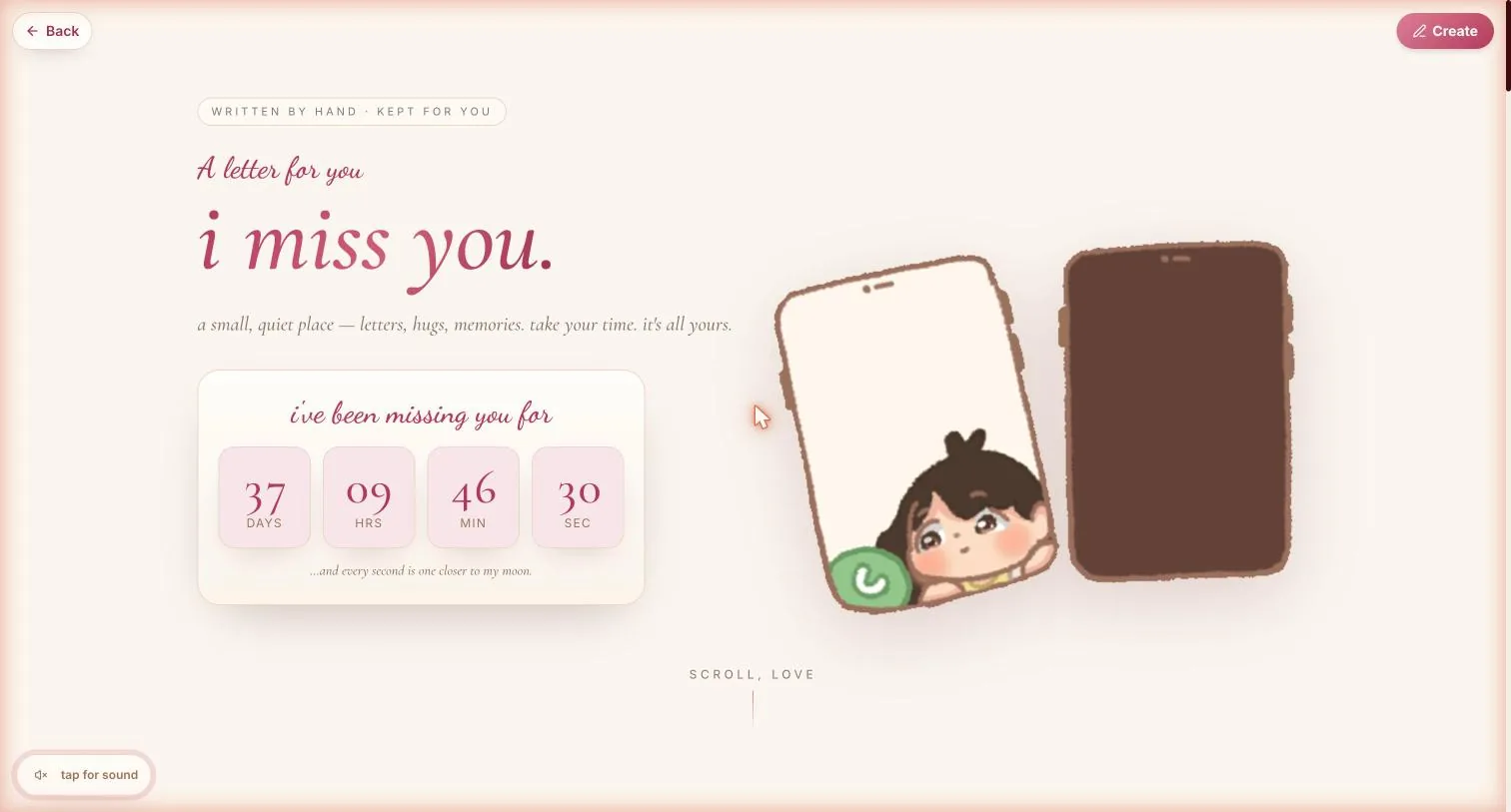
Press Create, top-right
The page you are looking at first is the demo, already filled in with someone else's words. Nothing you do to it is saved until you press Save & Preview.
Step 1.2
Write it for me, or fill it in yourself
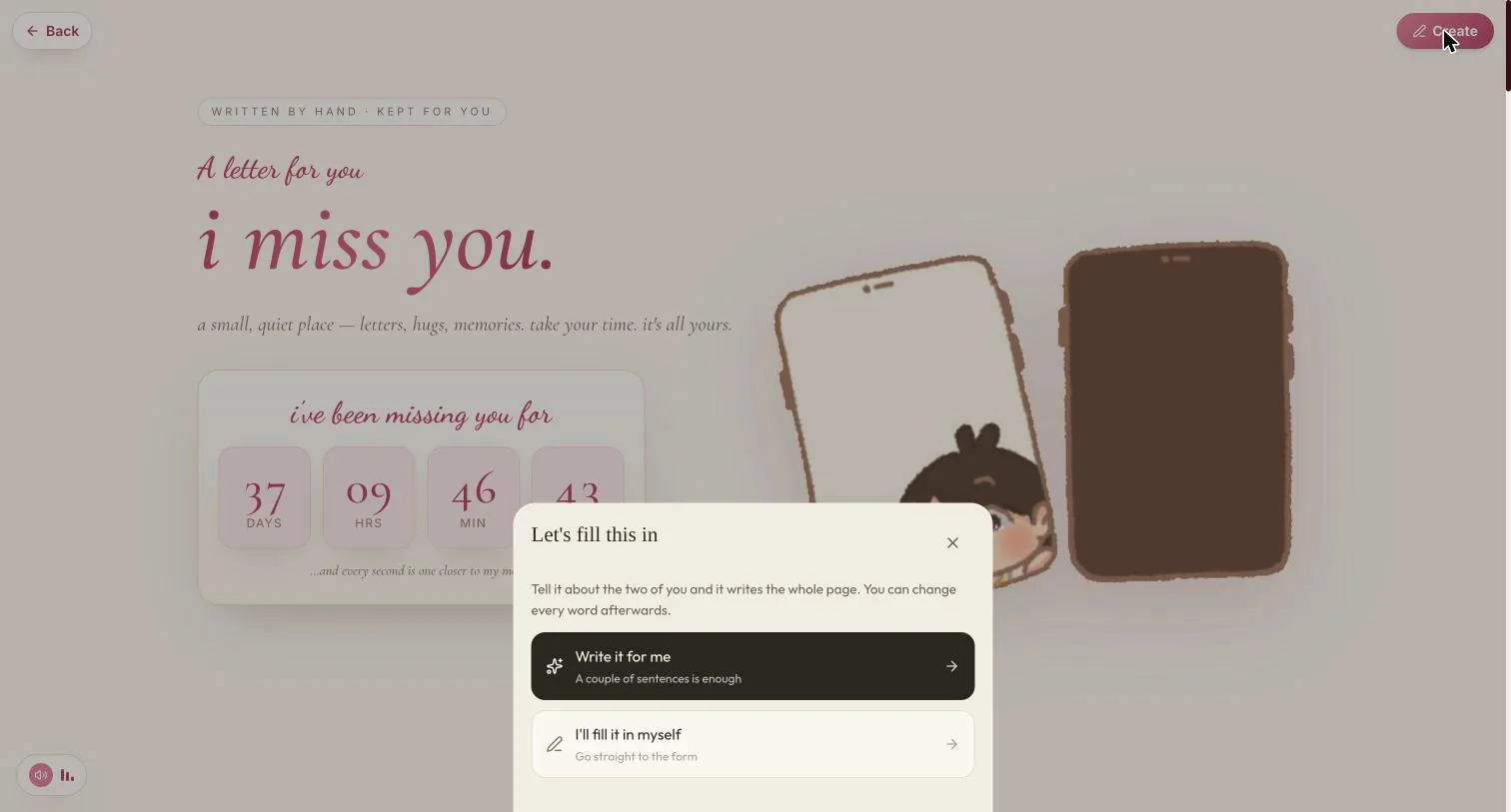
Two doors. Write it for me takes a couple of sentences about the two of you and drafts every field; I'll fill it in myself goes straight to the form. Either way every word stays editable afterwards.
The AI draft is a decent skeleton and a poor letter. It cannot know the name of the stall where the chai tasted right. Use it to get past the blank page, then replace the specifics.
Step 1.3
There are no Next buttons — scroll
If you have built a Darling or Birthday page you will look for a wizard here and not find one. Everything is on one page, top to bottom, and nothing is lost by scrolling past a section you want to come back to.
Build your letter
Step 2.1
Names, pet-name, cover line
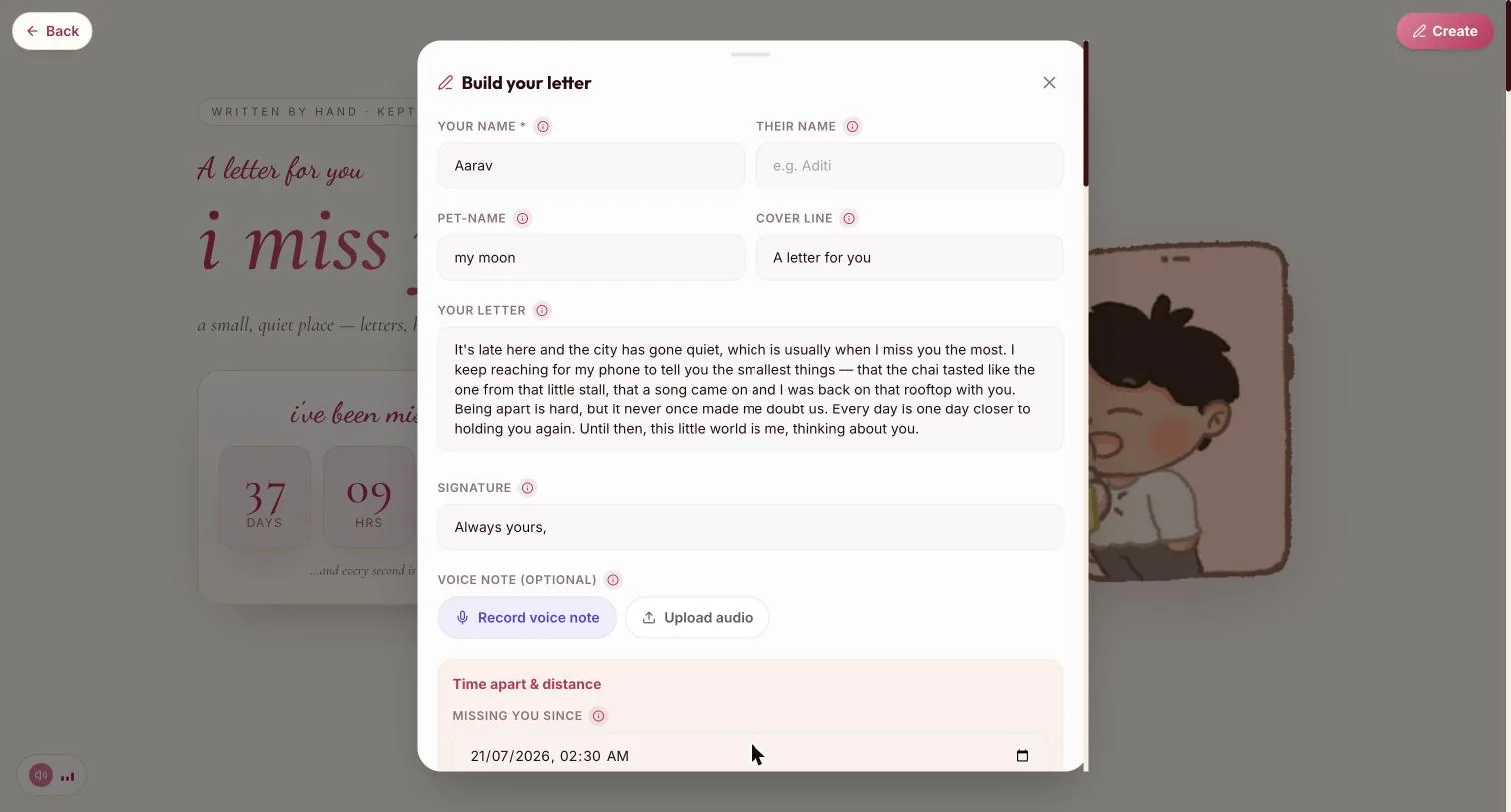
Your name is the only required field on the whole form. Pet-name is what she is called throughout the page — “my moon” in the demo — and the cover line is the small italic above the headline.
Step 2.2
The letter itself
This is the body of the page and it deserves the most time. Write it in the second person, to her, and keep the small concrete things — a stall, a song, a rooftop. Signature is the line above your name.
Step 2.3
A voice note, if you want one
Record voice note captures straight from the browser; Upload audio takes a file. Optional, and easy to miss — it sits directly under the signature.
Thirty seconds of your actual voice does more here than another paragraph. It is also the one part of the page she cannot re-read in your handwriting later, so it lands differently.
Time apart & distance
Step 3.1
Missing you since
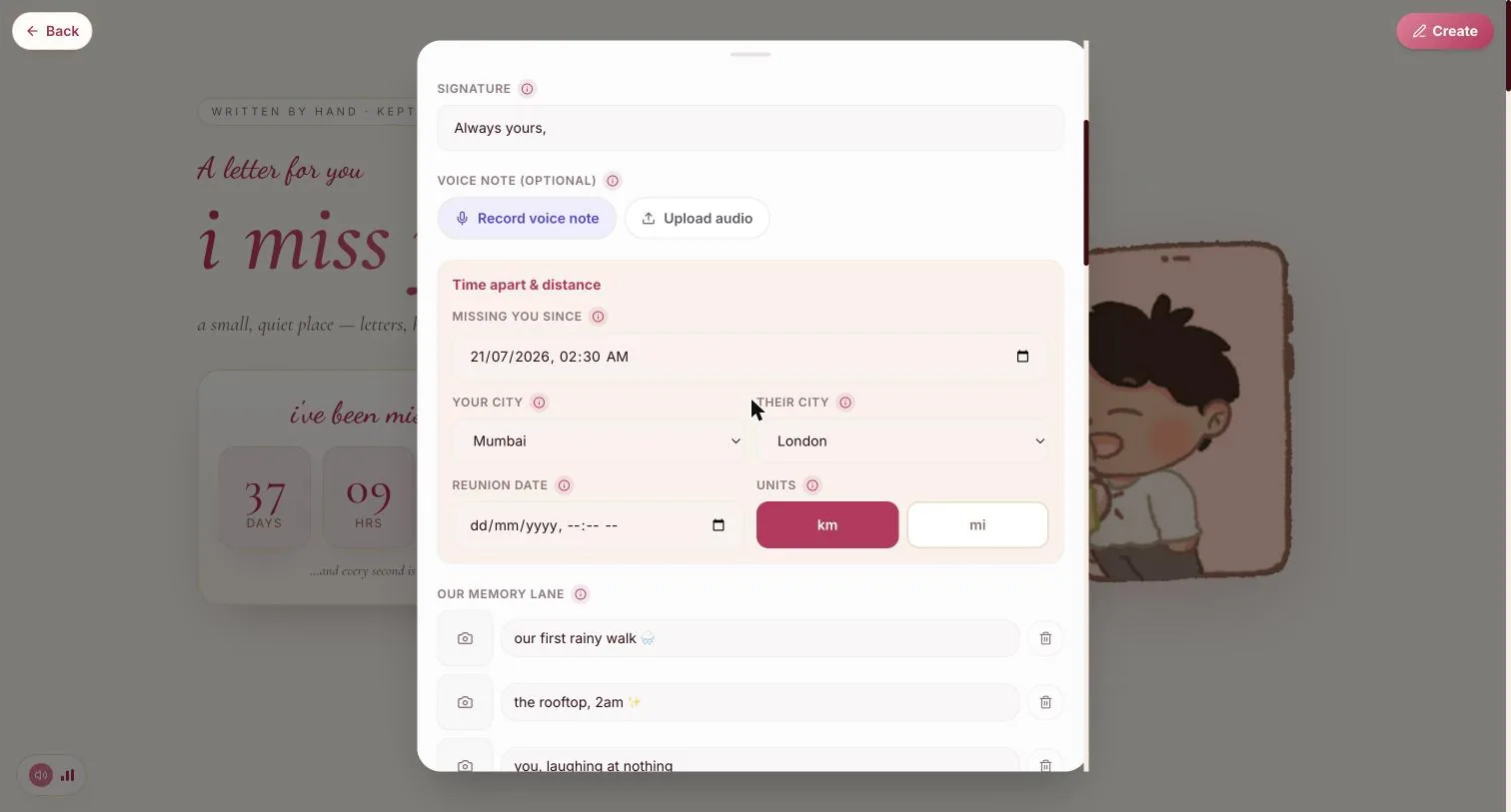
A date and a time. It drives the live counter on her page — days, hours, minutes, seconds, ticking while she reads.
Step 3.2
Two cities, and the kilometres between them
Your city and their city are dropdowns, and the page works the distance out from them. Set the units with the km / mi pair beside the reunion date.
The distance is the quietest thing on the page and the one that tends to land. It only works if both cities are actually set — leave one empty and the line simply does not appear.
Step 3.3
Reunion date, if you have one
Optional. Set it and the counter gains a second half counting down instead of up. Leave it empty if the date is not real yet — a made-up one reads as a made-up one.
Our memory lane
No chapter marker for this one — the recording keeps the same title over it as the region above, so there is no honest timestamp to link to. It sits between Time apart & distance and A secret in the form.
Step 4.1
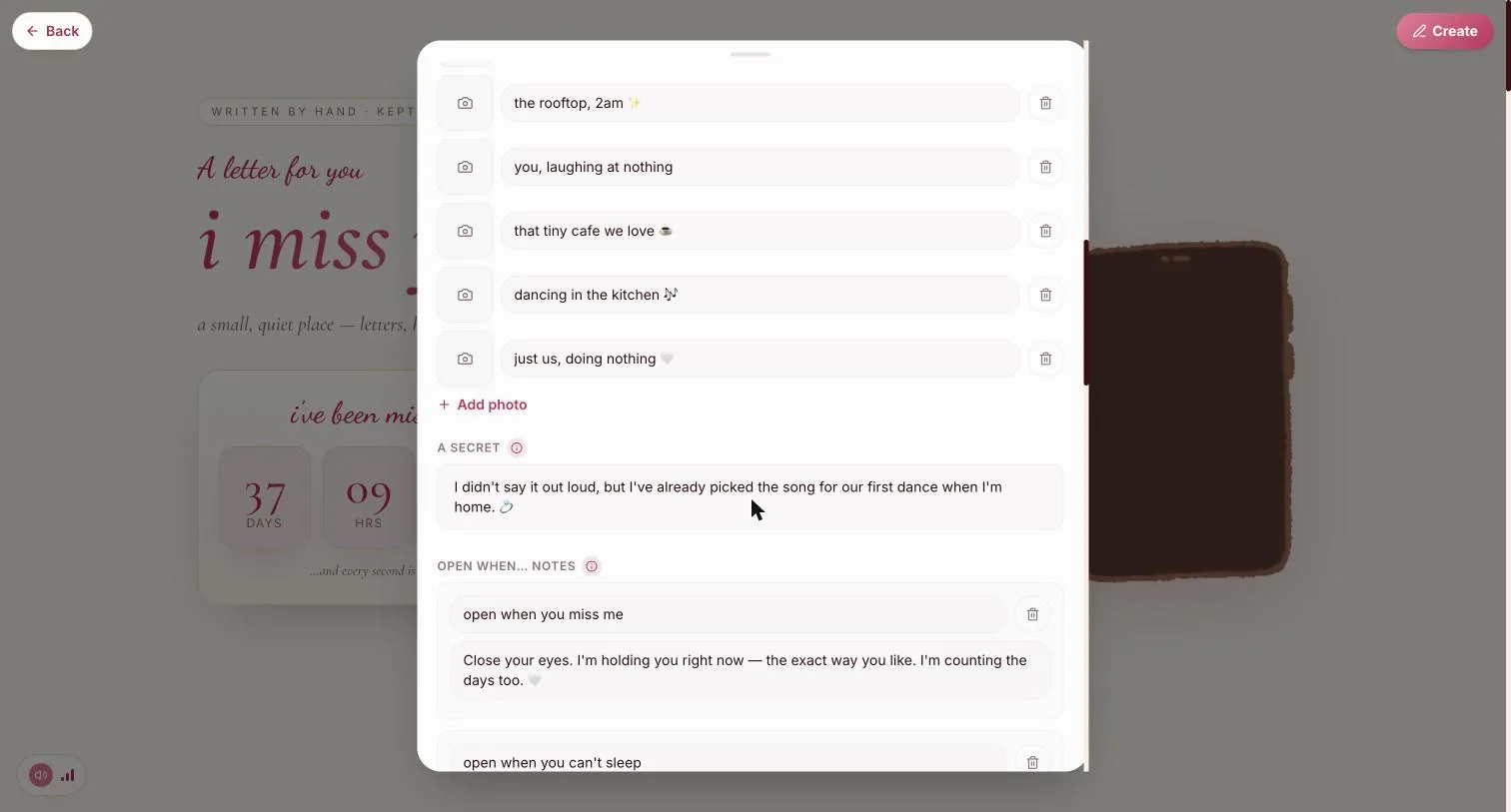
Six captions, each with a photo slot
The camera square to the left of each line takes the picture; the line beside it is the caption. They arrive as a numbered zigzag on her page, alternating left and right.
Step 4.2
Captions beat titles
“the rooftop, 2am ✨” tells her which night. “Good times” tells her nothing. Add or remove rows freely — there is no fixed count.
A secret
Step 5.1
One field, and it arrives hidden
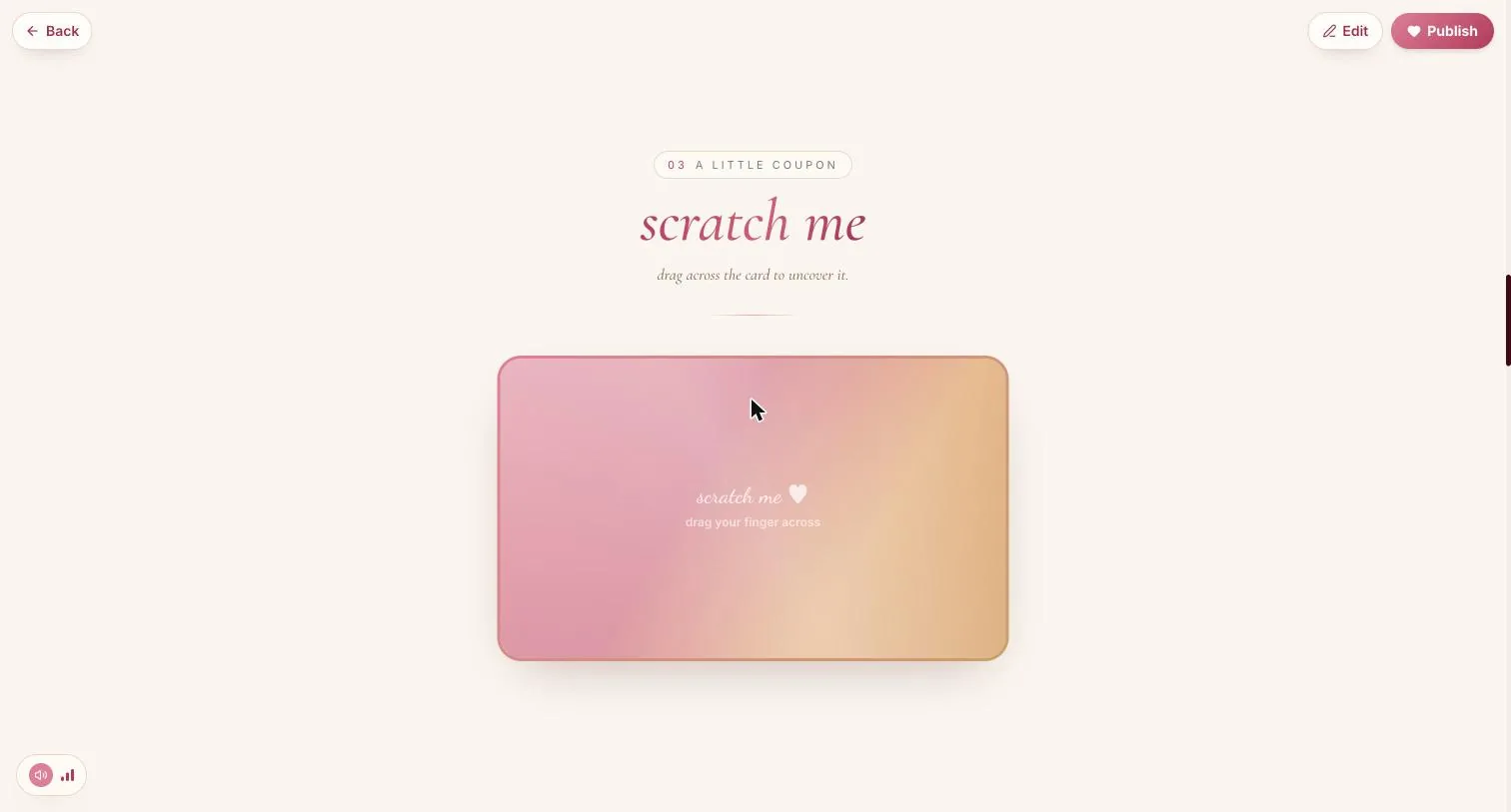
Whatever you write here is covered on her page by a scratch card she has to drag across to uncover. Nothing tells you that in the builder, which is why it is worth knowing before you write it.
Write something that earns the scratching. A line she has not heard from you before is the right size; a compliment she has heard a hundred times is not.
Open when… notes
The part of this template people come back for. Each note is a sealed envelope on her page that she opens on the day it is for.
Step 6.1
A title and a note, as many as you like
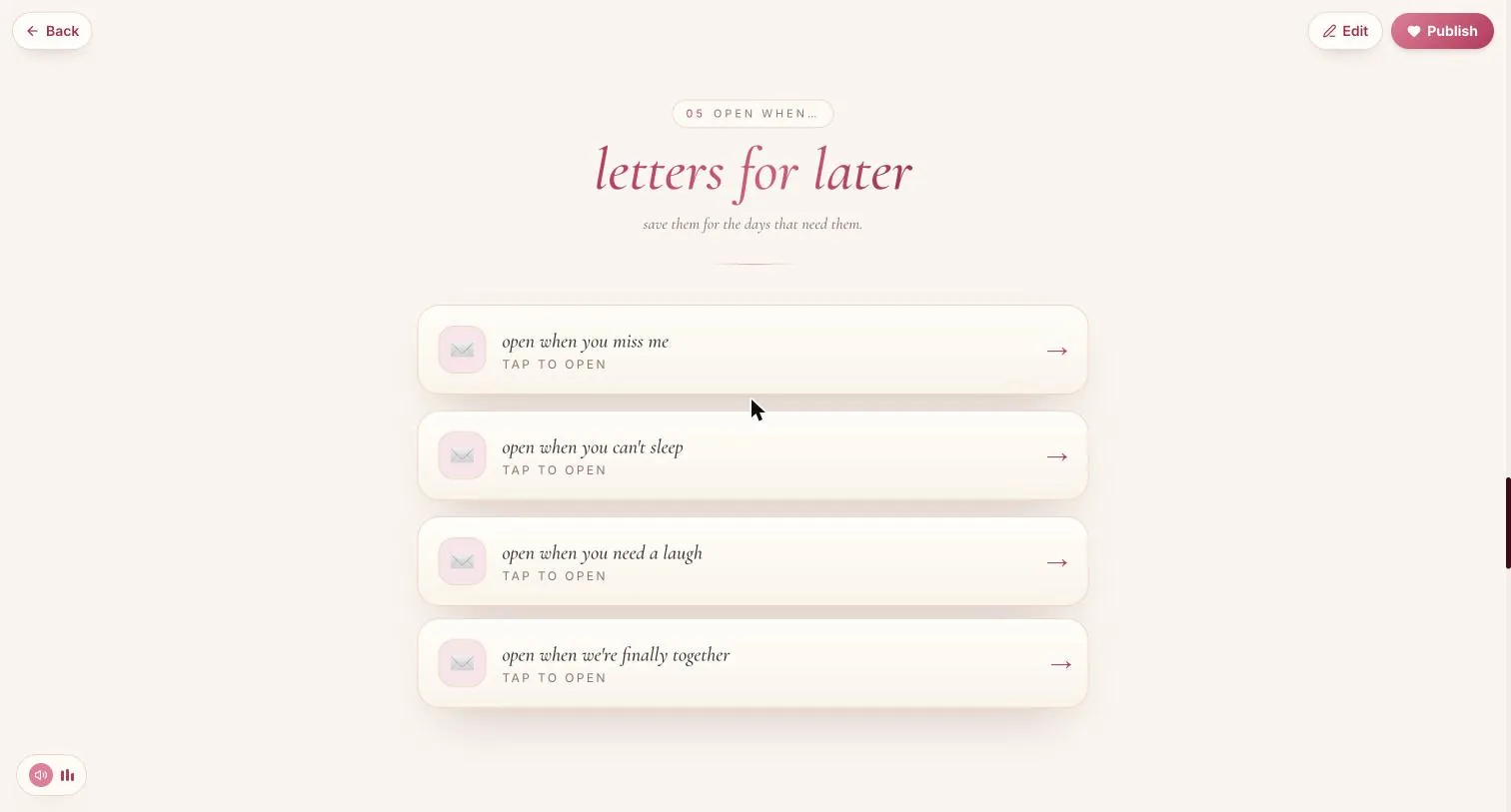
The title is the occasion — “open when you can't sleep”, “open when we're finally together” — and the body is the letter inside it. Add note adds another.
Step 6.2
Four is plenty; ten is a chore
She has to have a reason to open each one. Write for the days you can actually picture her having, and stop there.
Remember-us quiz
Step 7.1
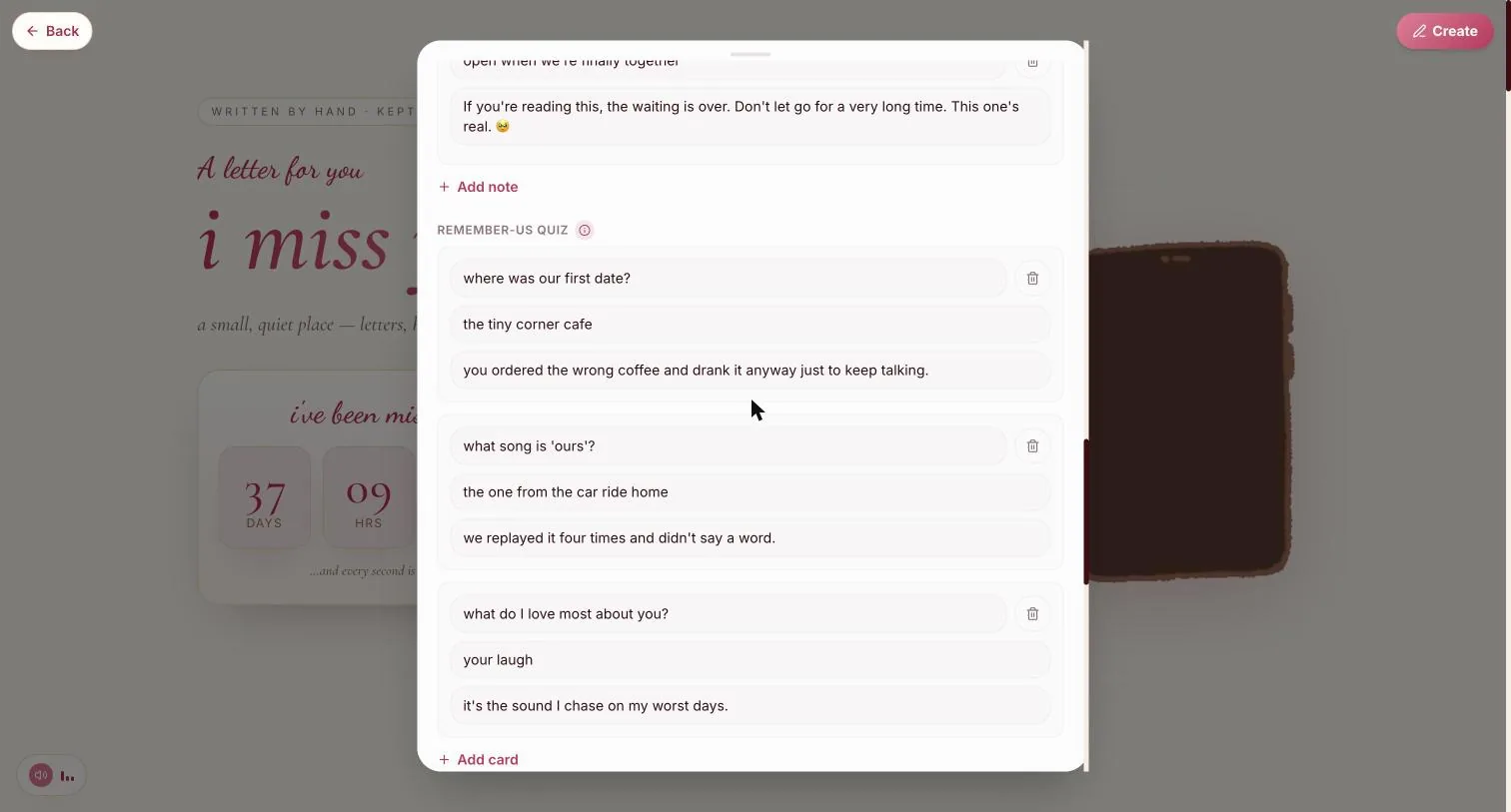
Three fields per card, not two
The question, the answer, and then a third line — the thing you tell her once she has answered. That last field is what makes the quiz worth playing; skip it and the card just marks her right.
Step 7.2
Ask things only she can answer
“Where was our first date?” works. “What is my favourite colour?” is a trivia question about you, and she will resent getting it wrong.
Pick the song
Step 8.1
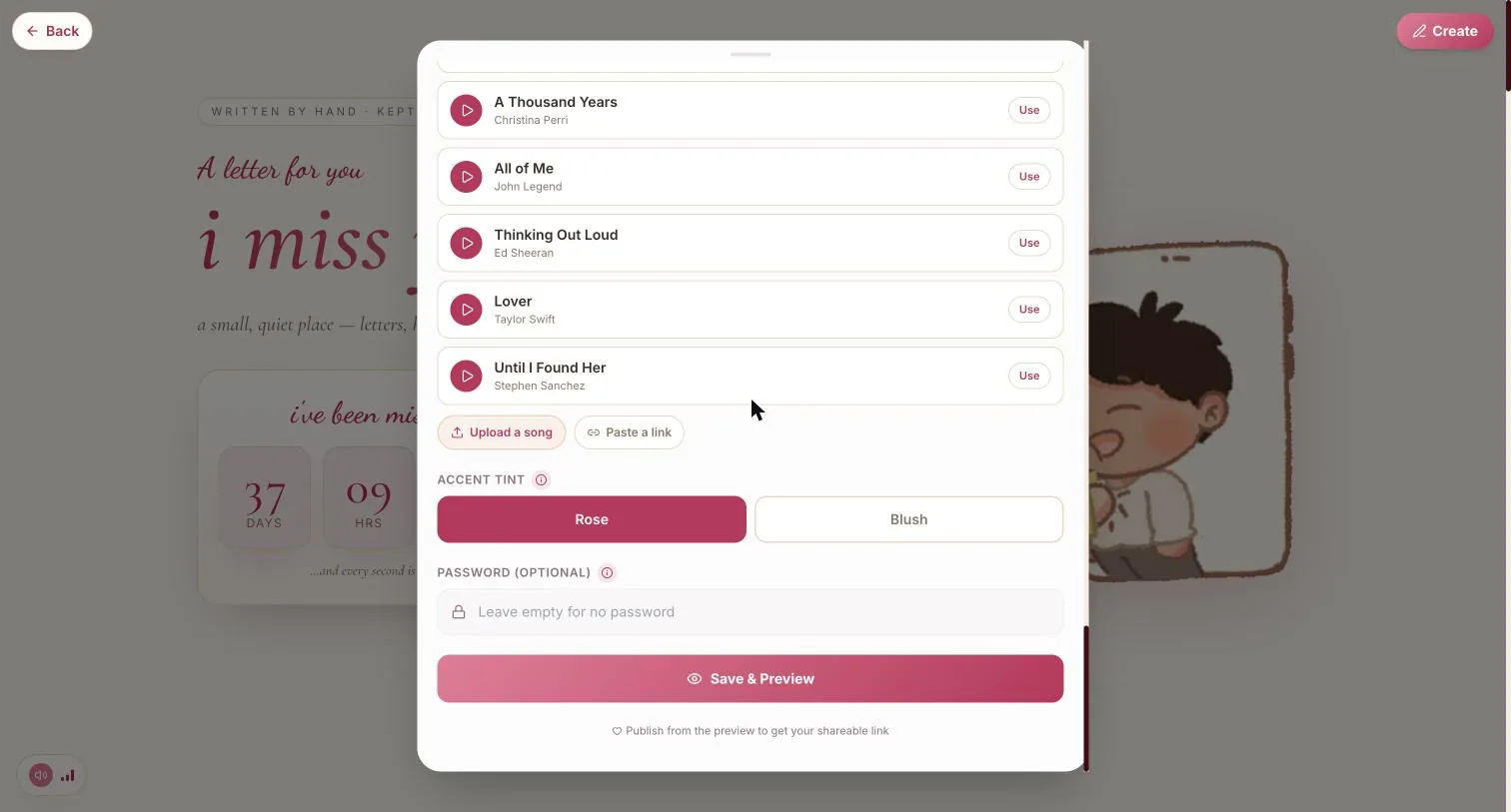
A short list, or your own
Six built-in tracks with a preview each, or Upload a song for a file and Paste a link for something hosted elsewhere. Your own song ✓ appears at the bottom of the list once you have set one.
Step 8.2
Her browser will not autoplay it
The page opens muted with a tap-for-sound control in the corner — that is the browser's rule, not a setting you can change. Assume she reads the first screen in silence.
Accent tint & password
Step 9.1
Rose or Blush
Two tints, and the difference is real rather than decorative: Rose is the deeper, more serious one; Blush is lighter and reads younger.
Step 9.2
A password, if it is that kind of letter
Optional, directly under the tint. Set it and the page asks for the word before it shows anything. Leave it empty and the link is the only key.
Save it
Step 10.1
Save & Preview, at the foot of the form
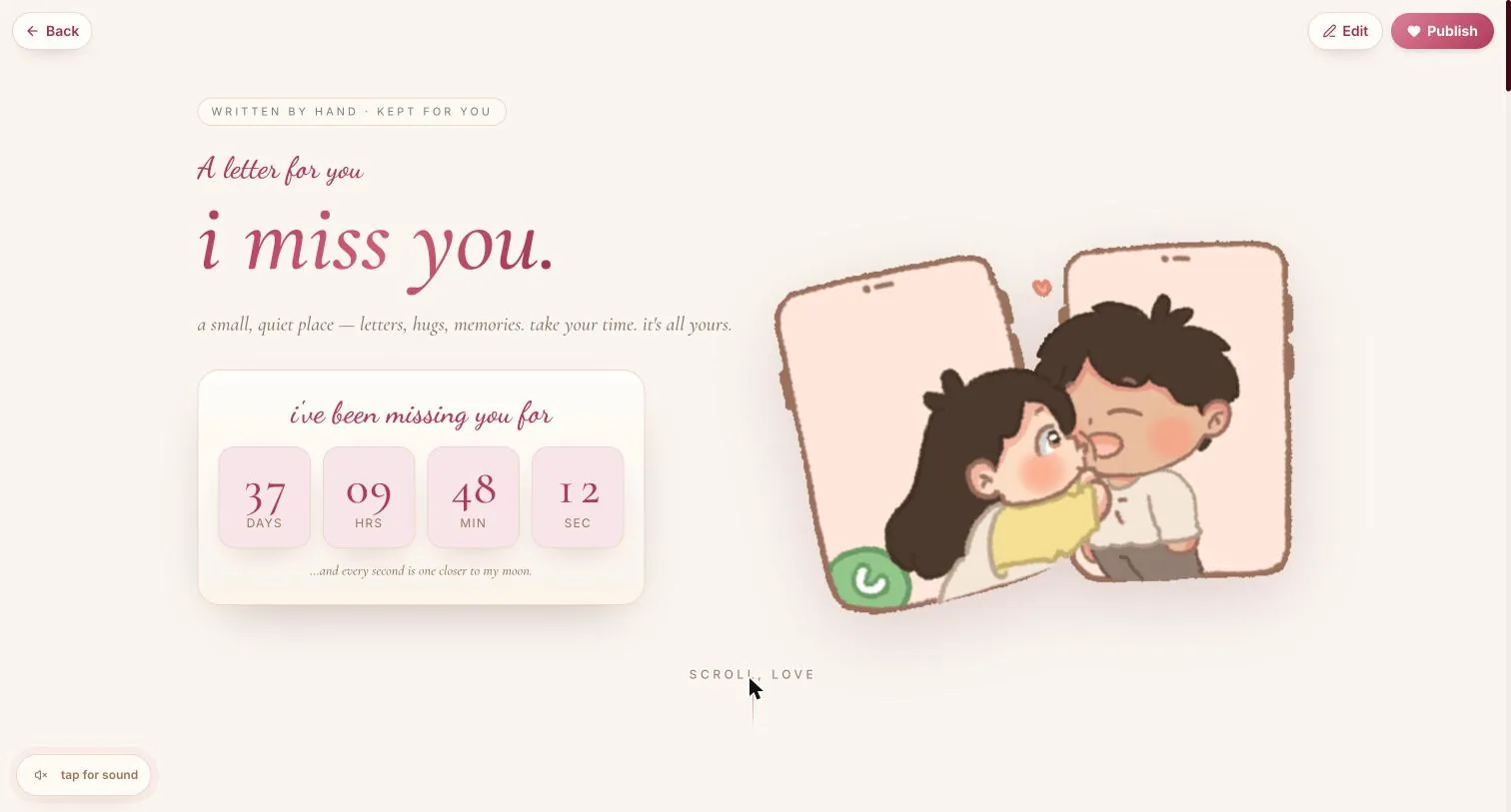
Nothing is published yet. The form closes, the finished letter appears, and the top bar changes to Edit and Publish.
What she actually sees
Seven numbered sections, top to bottom. Walk it once before you send it — a section you left empty simply is not there, and it is easier to notice now than after.
Step 11.1
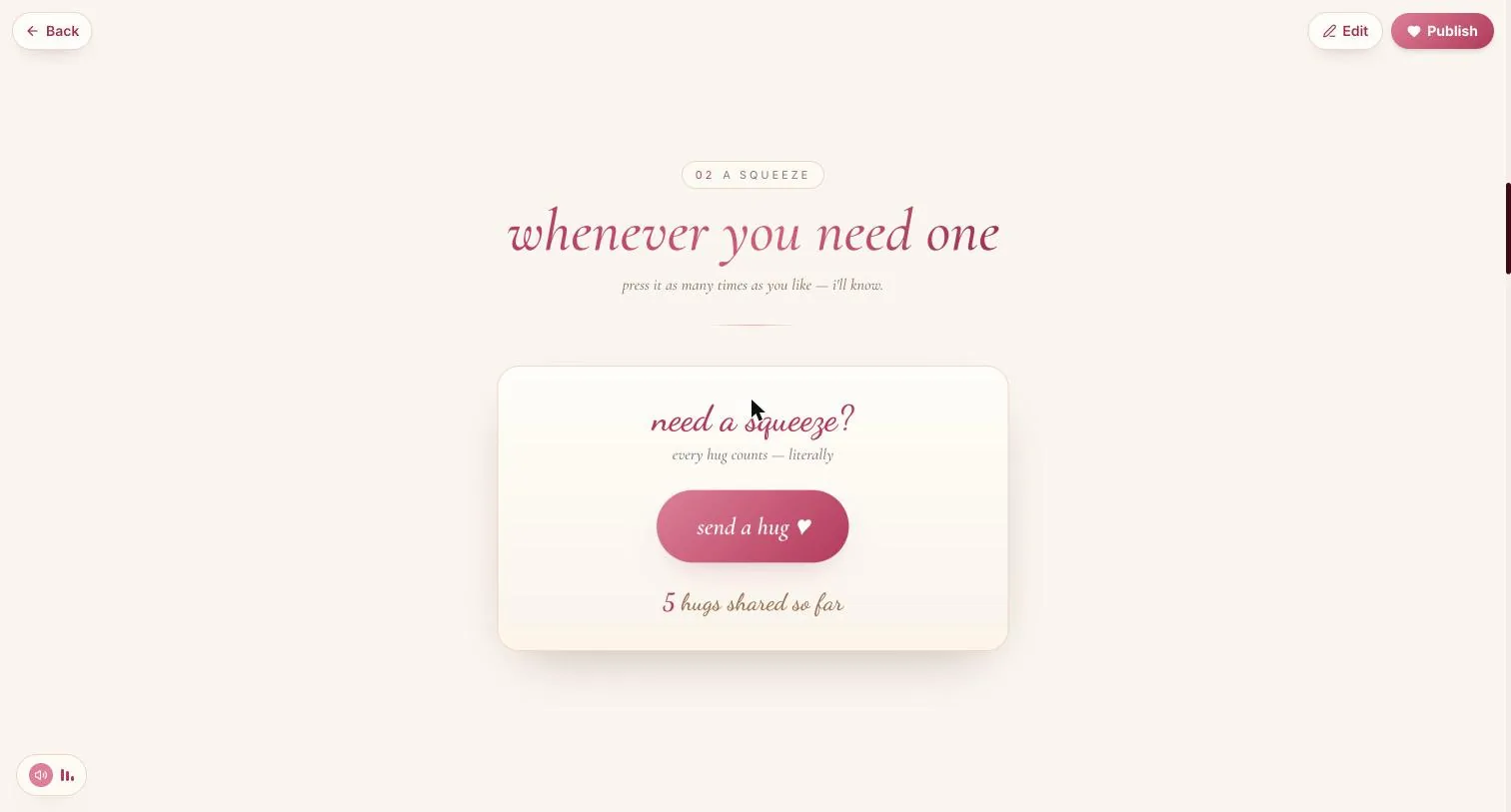
02 · A squeeze — and it counts
A send-a-hug button with a running total underneath. It is not decoration: the count persists, so she can press it at 3am and you can see that she did.
Step 11.2
03 · A little coupon — the scratch card
This is where A secret ends up. She drags a finger across the card to uncover it.
Step 11.3
04 · One silly question, and this-or-that
A yes/no she answers, and a pair of choices where both of you get a column — your pick and hers, side by side.
Step 11.4
05 · Open when… — letters for later
One sealed envelope per note, each with Tap to open under the title. She is not meant to open them all today, and the page does not push her to.
Step 11.5
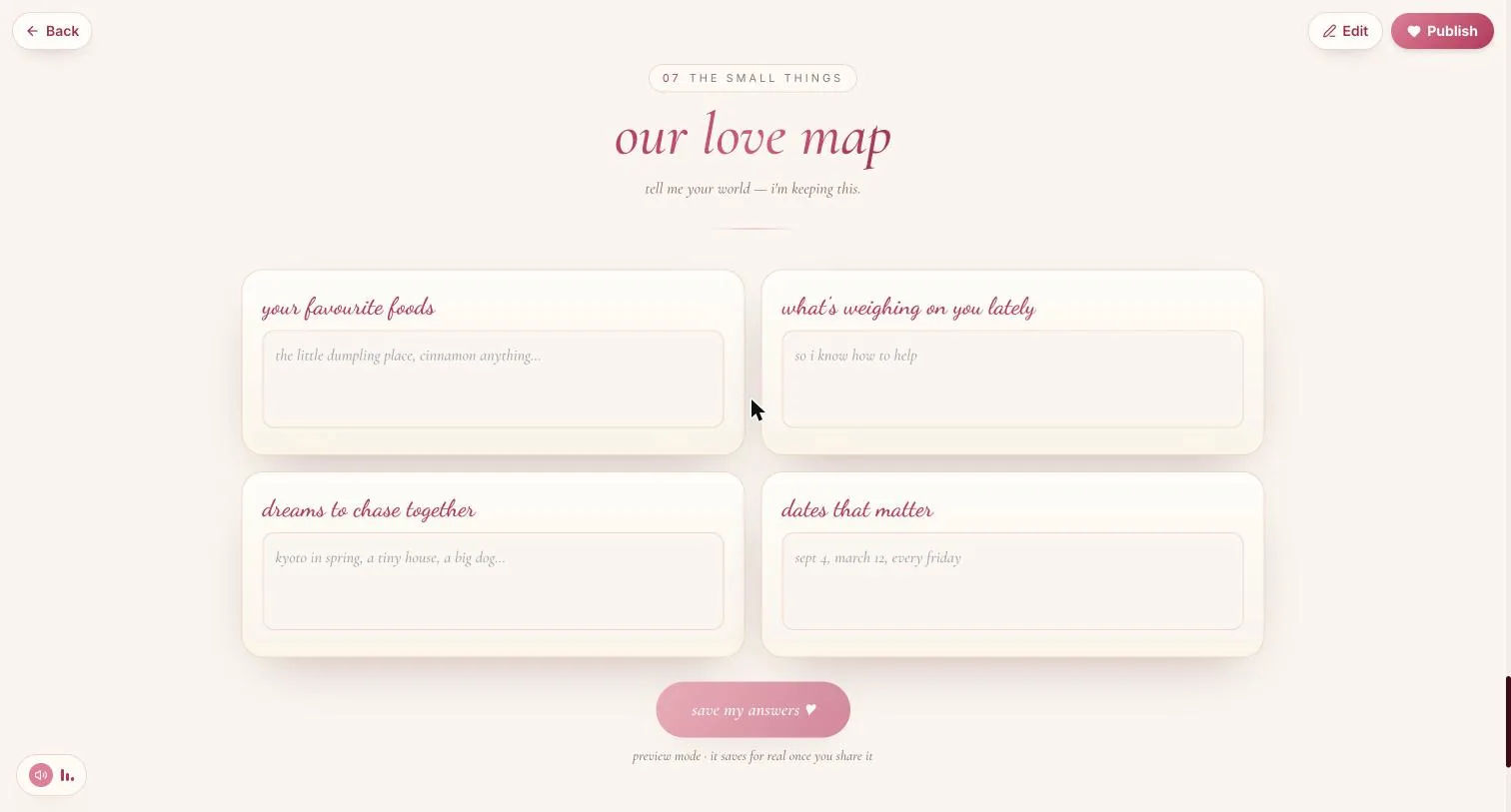
07 · Our love map — she answers back
Four boxes for her: your favourite foods, what's weighing on you lately, dreams to chase together, dates that matter — and a save my answers button under them. This is the only section of any template on the site that collects something from the person receiving it.
In preview it says “preview mode · it saves for real once you share it”, so testing it yourself will not save anything. It starts collecting once the page is published and sent.
Publish
Step 12.1
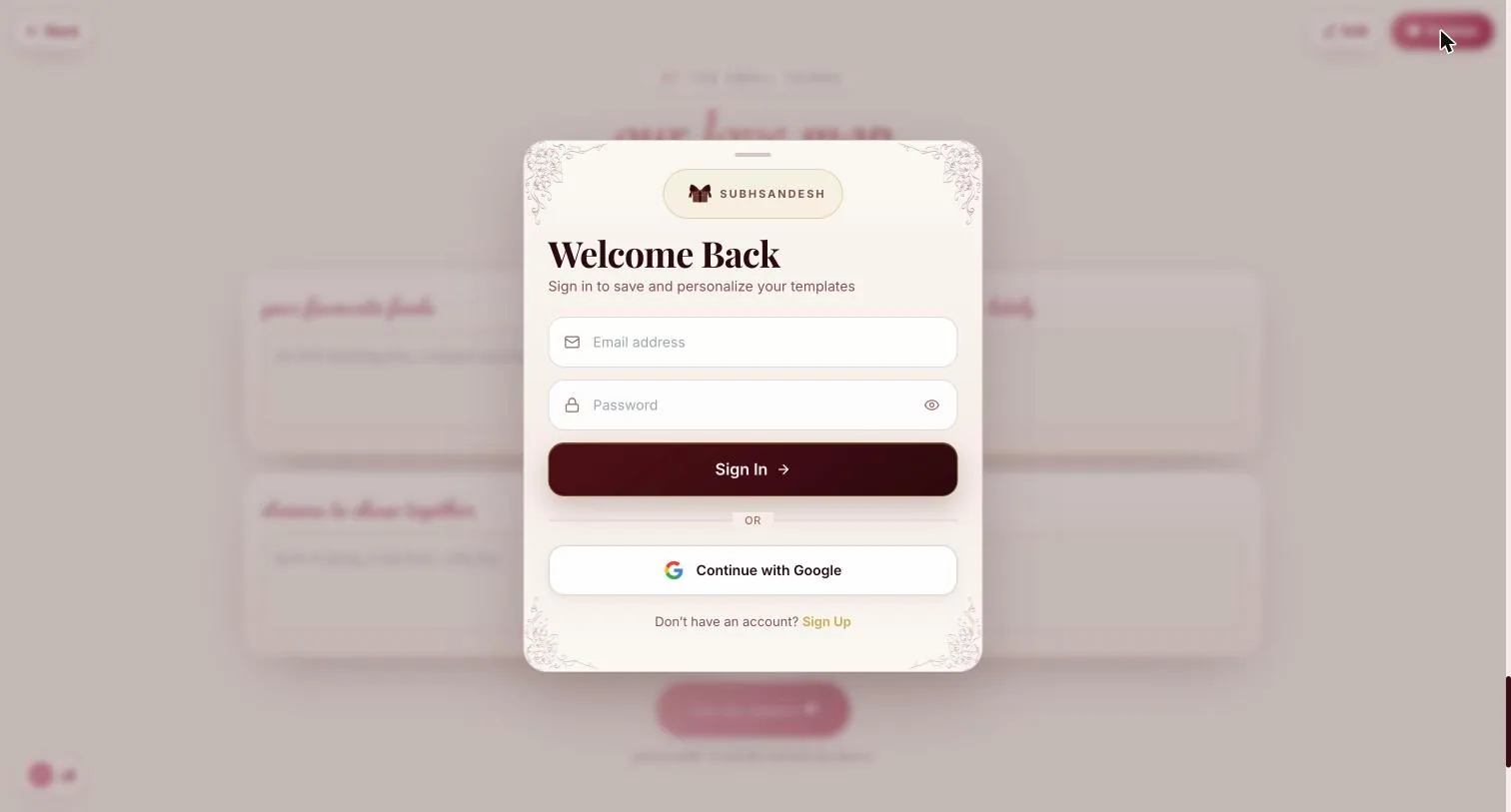
Publish, and sign in if you are signed out
The page goes live straight after you sign in — nothing you built is asked for a second time.
Sign in before you start if you are on a phone. Continue with Google is a full-page redirect, and it takes the page you were halfway through with it.
Your turn
About 7 minutes, and it is done.
You do not need an account to start — you are asked to sign in once, at the moment you publish.
Open Miss YouQuestions
What people ask about this one
Where are the Next buttons?
There aren't any. Miss You and the Apology Dashboard are the two templates built as one long form rather than a paged wizard — you scroll from your name at the top to Save & Preview at the bottom. If you have built a Darling or Birthday page before, this is the difference you will notice first.
Does she really answer back?
Yes, and it is the best thing in the template. The last section — our love map — asks her four questions and has a save my answers button. Her answers come back to you. In preview it says it will not save; that only starts once the page is published and shared.
What happens to the thing I wrote under A secret?
It arrives covered by a scratch card she has to drag across to uncover. The builder does not tell you that, so write something worth the scratching rather than a line she has heard before.
How does it know how far apart we are?
From the two city dropdowns under Time apart & distance. Set both and the page works out the kilometres itself; set only one and the line quietly does not appear. The km/mi toggle sits beside the reunion date.
How many Open when… notes should I write?
Four is usually right. Each one has to have a day she can actually picture — can't sleep, need a laugh, finally together. Ten of them turns a gift into a reading list.
Can I keep it private?
Set a password on the last step of the form, just under the accent tint. She will need the word as well as the link.
Keep going
Other guides
From the blog
Related reading
Written around the same occasion, if you want the words before the build.
Indian Festivals
Diwali Shayari Miss You: Lines for a Partner, Parents and Friends Far Away
Ten original Diwali miss-you shayari in Devanagari, Roman Hindi and English, for a partner, parents, a child o…
Indian Festivals
Navratri Wishes for Long Distance Love, for Nine Nights Apart
Navratri wishes for long distance love, sorted by six situations with Hinglish lines, plus exact times for a 9…
Miss You, Across Miles
Te extraño, papá: frases para un padre que ya no está y para uno que vive lejos
Ocho de ocho resultados en México y en España escriben para un padre fallecido; ninguno para un padre vivo que…